Josh
Josh

To make YouTube videos without showing your face, choose a style whose pictures you can actually get, write a script, narrate it with your own voice or an AI voice, cut the visuals to that narration, and upload from an account that has never touched your real name. In order:
Choose a style by where its visuals come from, and check the topic has footage
Set a length and write the script, with a strong first 30 seconds
Record your own voice or generate an AI voice
Find the visuals and cut them to the narration, or hand the edit off
Buy only what fixes your slowest step
Run the identity checks, upload, and plan the weeks after
Expect the pictures to be the hard part. Turning the camera off saves you nothing in the edit, because every second your face would have filled now needs something else on screen, and a 10-minute narrated video uses somewhere between 40 and 100 separate visuals. Finding those and cutting them to your voice is where most of a first video's hours go.
I work at VidRush. Before that I spent years cutting other people's long-form and then ran my own faceless channels, so the hours here come from the edit bay as well as the spreadsheet. You can do every step below free, in CapCut or DaVinci Resolve, with your own voice.
If the edit turns out to be your bottleneck and you make narrated explainers, documentaries or Top 10 lists, VidRush builds that edit from your script or recorded narration.
How to make YouTube videos without showing your face, step by step
Block out 10 to 16 hours for a first 8–12 minute narrated video. That total comes from our production estimate for faceless videos, not from a stopwatch, and it splits into stages you do in order, because each one sets the timing for the next.
The stages and their hours
Research and outline, 1–3 hours. Gather sources, check facts and sort the story into beats.
Script, 1.5–3 hours. About 1,400 to 1,500 words for ten minutes, written to be spoken rather than read.
Voice, 0.5–1.5 hours to record and clean your own narration, or 15–30 minutes with an AI voice.
Visual sourcing, 2–4 hours. Find 40 to 100 clips, photos or screen recordings that match the lines.
Assembly, 3–6 hours. Cut the visuals to the voice and add music, sound effects and captions.
Packaging and upload, 1–1.5 hours. Make the thumbnail, write the title and description, and upload from a channel that sits on its own Google account.
Where the hours actually go
Stages four and five, finding the visuals and cutting them to the voice, come to 5 to 10 hours together, which is by far the biggest block. Our estimate puts that work at roughly two-thirds of post-production, meaning everything that happens once the voice track exists. Voice is the step beginners worry about most, and it is usually the shortest.
That matches my three years cutting long-form for a UK history and engineering channel, where the script rarely kept us late and the pictures regularly did.
If your first one runs past 16 hours, nothing has gone wrong. First videos run long because you are learning the editor at the same time as making the video. Every beginner I have watched cut their first long-form piece took longer than they planned, and the second one always went quicker.
Note: How we researched this: we watched creator workflow videos and read through r/NewTubers, r/PartneredYoutube, r/FacelessVideos and X threads on faceless production, voice and privacy. We also looked for videos in which a faceless creator timed one complete video of their own. We found eight, but only three actually did that, which is too few to build on, so the stage hours above are our own production estimate. Prices were taken from each vendor's own page in October 2026, and the length data is described in the length section.
Which faceless video style fits your topic?
Choose the style by where its pictures will come from, and the topic mostly follows. Four styles cover nearly every faceless channel I have seen work. The difference that matters most is whether you capture the visuals while you work or go hunting for them afterwards, and that one difference is what moves a video from a few hours to a few days.
Style | Where the visuals come from | Main tools | Hours per 10-min video | Topics that fit | Example channel |
|---|---|---|---|---|---|
Screen recording | Your screen, captured live | OBS plus a free editor | 2–5 | Software, apps, spreadsheets, websites | Excel Tutorials by EasyClick Academy: 3–4 minute tutorials, 240 videos |
Hands-only filming | Your hands on a desk, filmed live | Phone on an overhead mount, basic editor | 4–8 | Crafts, cooking, drawing, repairs | EASY-ORIGAMI: one overhead shot of folding, 560 videos |
Narration over archive and stock | Records, photos and clips you find | Desktop editor | 10–20 | Events that left a public record: disasters, companies, history | Brick Immortar: disaster investigations from official reports, videos averaging about 54 minutes |
Built visuals | Maps, diagrams and animation you make | GIMP, Blender | 20+ | Subjects with no footage: old wars, abstract ideas | Eastory: hand-drawn battle maps, about 20 hours per base map |
Four faceless styles, sorted by where the visuals come from. Hours are rough estimates: an archive-heavy documentary sits toward the top of the 10–20 range, above the 10–16 for a typical first narrated video, and built visuals can run well past 20.
Styles where you capture the footage as you go
In screen recording, the software is the footage. Excel Tutorials by EasyClick Academy makes short spreadsheet lessons where every frame is recorded while the narrator does the task, so there is nothing to search for. Hands-only filming works the same way off-screen: EASY-ORIGAMI films one overhead shot of hands folding paper on a clean mat, and every visual is recorded during the fold.
So yes, you can teach a skill on YouTube without being on camera, and these two styles are how. If you already have a skill people search for, start here. You get the cheapest hours on this page, and your time goes on teaching the thing instead of on footage.
Styles where you hunt for the footage or build it
Narrated documentaries are where the hours climb. I ran an aviation and maritime disaster channel, and I spent more nights sourcing archival footage than writing.
The documentary topics that work are the ones that left their own paper trail. Brick Immortar tells disaster investigations from official reports and technical schematics, so the record supplies both the timeline and the pictures, and the skill on display is research. Companies and history leave the same kind of record, and our list of documentary topics sorted by what each one takes to make starts from the footage rather than the niche.

Built visuals solve the opposite problem. Eastory covers wars that were never filmed, so it draws its own maps in GIMP and animates them in Blender, and it reports about 20 hours to draw one base map before any unit moves. That removes the stock-matching problem completely and replaces it with illustration. I would not start here as a beginner unless drawing is the part you love, because there is no shortcut through 20+ hours a video.
Check that people want the topic
A video that pulled five times or more its channel's usual views is the cheapest proof a topic has demand. That is Chris Barrera's rule of thumb: he scans channels in his niche for those outliers before choosing what to make. It isn't a law, and I'd still use it over guessing, because a breakout on a small channel shows the demand exists before you spend 12 hours on the topic.
It also suits the way I work. I'd rather borrow a format that has already worked somewhere nearby than gamble a first video on an untested angle.
Run a footage check before you write
Once a narrated topic passes the demand test, check its footage before you script it. Budget an hour.
Outline 10–15 beats, and write next to each one the concrete thing a viewer would need to see: a person, a place, a machine, a document.
Search each beat in free stock (Pexels, Pixabay) and in archives (Wikimedia Commons, the Library of Congress, the US National Archives).
Count a beat as matched only if you find something specific to it, not a generic stand-in.
Divide the matched beats by the total. Below about 60%, change the topic or switch to a capture-live or built style.
Treat 60% as the line. It is a rule of thumb from FluxNote's guide to stock footage for creators rather than a measured cutoff, and I'd keep it anyway, because a topic that fails the check gets filled with generic city skylines and people typing. Viewers notice filler long before they could say what is wrong with it, and no amount of script polish fixes a footage problem.
How long should your video be, and what goes in the first 30 seconds?
Make the video as long as your topic can fill without padding, and put more effort into the first 30 seconds than into the length.
What our length data shows, and what it doesn't
We analysed several thousand monetised long-form videos between 5 and 13 minutes long and compared revenue per 1,000 views against length. I expected one clear step at 8 minutes, because every forum repeats that number. There was a jump there. But a jump of almost the same size appeared between 9 and 10 minutes, and the line kept climbing up to 12. There is no magic length.
Longer videos in that set tended to earn more per view, and that is all the data says. They may simply be about topics and audiences that pay better, and the set isn't a random sample of YouTube, so don't stretch a video to chase the pattern.
Every extra minute costs you something too: four to seven more visuals and another stretch of assembly. Stretching a 7-minute story to 11 minutes is the worst trade available, because you pay the visual cost and the viewer can feel the stretch. My suggestion for a first video is about ten beats of roughly a minute each. At a spoken pace of 140–150 words a minute, that comes to a script of around 1,400 to 1,500 words and a video of about ten minutes.
The first 30 seconds, timed
With no face on screen, the viewer has no person to warm to, so the opening has to work on two tracks at once: what is said and what is shown. This is the structure from our guide to writing a hook that holds the first 30 seconds:
Seconds 0–5: a cold open in under 20 words, such as a claim, a number or an open question. No "welcome back" and no logo.
By second 2: a cut to a visual that proves the line, ideally with a small sound hit under it.
Seconds 5–15: tell the viewer what they get for staying to the end.
Seconds 15–30: raise the stakes with a twist or an unanswered question, then go back to the start of the story.
Write the whole script for the ear, in sentences of 10 to 15 words, and read it aloud before you record. If you trip reading a line, a listener will trip hearing it. The weakest opens I have ever cut all began with background, and the fix was always the same: move the most surprising line to the top and let the background come after it.
Your own voice or an AI voice?
Use your own voice unless people who know you offline must never recognise it. Voice is rarely how faceless creators get found. Reused usernames and linked accounts are, and the identity checks before upload deal with those.
When a voice does give someone away, the listener is almost always a friend, a coworker or a relative who recognises an accent or a speech habit. There is no public search engine that matches raw audio to a person.
So ask one narrow question: would it matter if your sister, your boss or your old classmates heard this and knew it was you? If yes, use an AI voice. If no, privacy is not a reason to choose AI, and the choice comes down to money, hours and how you sound.
What each route costs you
Route | Money | Time per 10-minute script | What usually goes wrong | The fix |
|---|---|---|---|---|
Your own voice | About $70 for a dynamic USB mic, Adobe Podcast cleanup free | 1–2 hours | Room echo, stumbles, long pauses | Record in a closet, clean it, cut the pauses |
AI voice in Clipchamp | $0, voices built into the free editor | 15–30 minutes in one pass, longer if you batch | Flat, even delivery | Generate in short batches and stitch the best takes |
AI voice in ElevenLabs Starter | $5/month billed annually or $6 billed monthly | 15–30 minutes in one pass, longer if you batch | Flat delivery, overused default voices | Short batches, several takes, lower stability |
Two ways to get a narration track. Prices as of October 2026.
If you're on the fence, record your own voice for the first video. Reading your script aloud for an hour teaches you more about which lines are clunky than any rewrite, and that lesson carries into video two whichever route you pick after. The trade-offs go deeper than price, and our comparison of AI voice versus a human voice weighs them format by format.
Recording your own voice in a bedroom
If you're worried that your voice sounds too young or too accented, that worry is aimed at the wrong thing. Viewers adjust to an accent within a minute. What makes them leave is pacing: mumbling, rushing and reading every line at the same pitch. In years of cutting other people's narration, a thick accent never cost a video anything. A flat read cost plenty.
Your phone will do for a first video. If you buy a mic, make it a dynamic USB mic such as the Samson Q2U ($69.99 as of October 2026), not a condenser. A dynamic mic hears what is right in front of it and ignores the room, while a condenser such as the Blue Yeti picks up every bare wall in an untreated bedroom.
Record inside a clothes closet with garments hanging, or hang a heavy duvet behind and beside the mic.
Keep the mic 4–6 inches from your mouth and angled slightly to one side, so your p and b sounds don't pop.
Read two or three sentences at a time. When you stumble, reread straight away and cut the bad take later. Expect 30–60 minutes of recording.
Run the file through Adobe Podcast Enhance Speech, which is free for up to an hour a day in 30-minute files, then spend 30–60 minutes cutting stumbles and dead air.
Using an AI voice without it sounding flat
Yes, you can leave your voice out entirely, and it can cost nothing. Clipchamp's free editor includes neural voices such as Jenny and Guy and exports at 1080p without a watermark.
The usual paid step up is ElevenLabs. Its Starter plan covers about 30 minutes of audio a month and allows commercial use. The free tier is non-commercial and requires attribution, so don't build a channel on it.
In ElevenLabs on its own, pasting the whole script and keeping the first generation is where flat reads come from. AIR Media-Tech's retention audits of unedited automatic dubs show what an untouched one-click track can cost: Brave Wilderness's English AI dub held viewers for 1:22 on average, against 3:40 to 5:19 for human-dubbed tracks of the same videos. Those were single-pass translation dubs nobody edited, so the audit tells you about skipping the listening pass, not about AI narration in general.
If you're working in ElevenLabs directly, treat the AI like a voice actor doing pickups. @isaacverse narrates every video on his channel this way:
Paste two or three sentences at a time, never the full script.
Generate two or three takes of each batch. In ElevenLabs he keeps stability around 0.40–0.50, because anything above about 0.70 turns into a drone.
Mark up the text with capitals on the word you want stressed and ellipses where a speaker would hesitate.
Drop every take on the timeline and keep the best delivery of each sentence.
Stretch the pauses between big ideas so the picture has time to land.
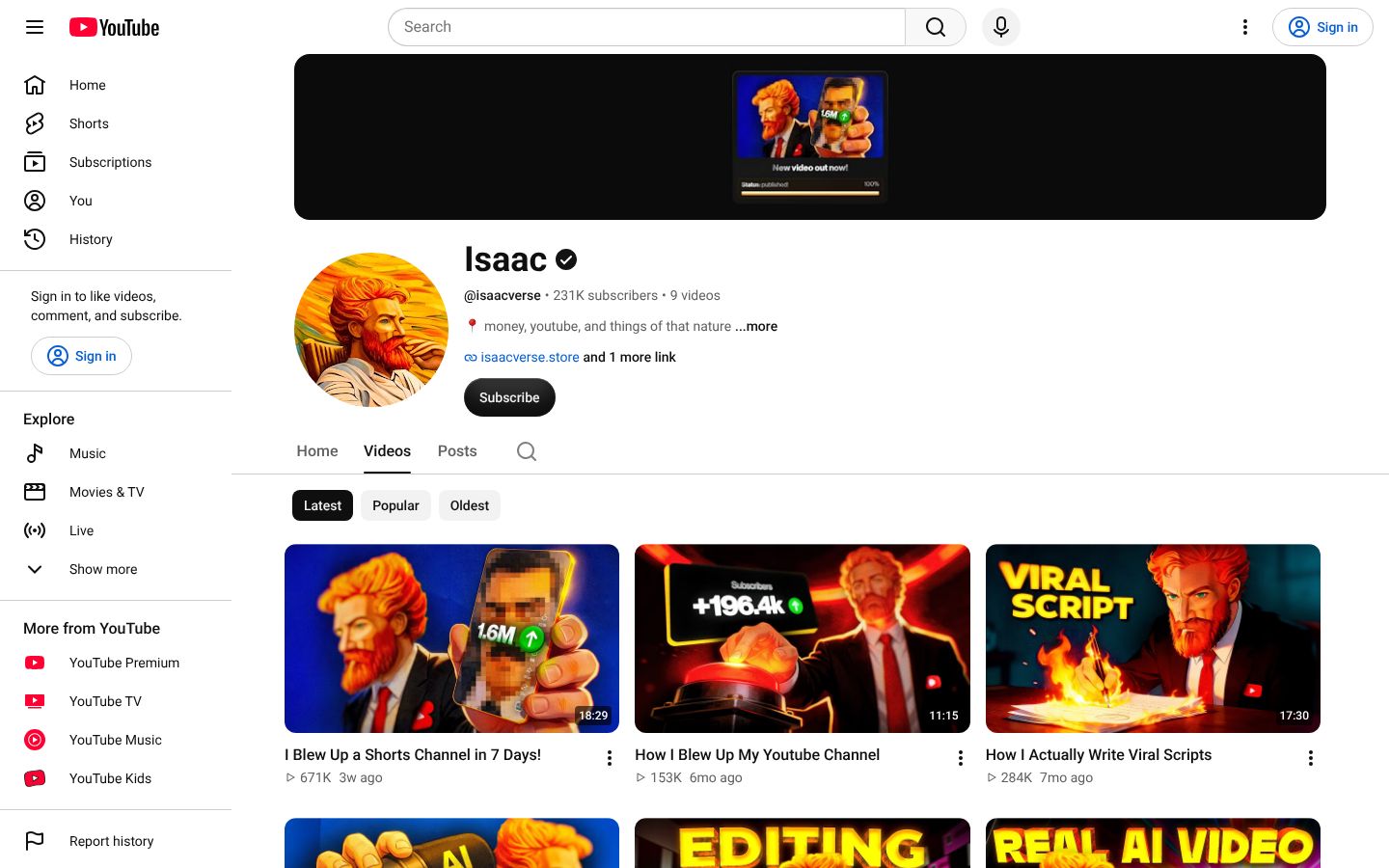
His channel has 231K subscribers from nine long-form videos, all narrated this way. That is one channel and not a promise, but it shows the voice stops being the problem once the takes are stitched. Voice design and punctuation tuning do the rest, and our guide to fixing robotic AI narration goes through them setting by setting.
A third route skips voice altogether: text on screen over music. It suits crafts and quick tutorials. A ten-minute explainer done that way asks people to read for ten minutes, and very few will.
Where the visuals come from, and how to cut them to the narration
Count the visuals before you search for any: multiply your minutes by how often the picture changes. Explainers typically change four to seven times a minute, so a 10-minute explainer needs 40 to 70 visuals. Documentaries cut faster and land at 60 to 100 or more, by Increditors' pacing benchmarks. Those are benchmarks rather than rules, but they will get you within a dozen clips.
Go through your ten-beat script and write what the viewer sees next to every sentence or two. That column is your shopping list, and for a ten-minute video it will run past 50 lines. Then mark each line with where you will get the picture. Doing this in a document takes an hour and saves you from discovering in the edit that beat seven has nothing to show.
Four places the pictures come from
Source | Use it for | Price | Where it runs out |
|---|---|---|---|
Free stock (Pexels, Pixabay) | Neutral filler: cities, nature, hands on a keyboard | $0 | Topical variety thins out after 10–12 videos |
Paid stock (Storyblocks) | Wider and more specific B-roll | $21/month billed annually or $42 billed monthly for Essentials | A monthly bill before the channel earns |
Public archives (Wikimedia Commons, Library of Congress, US National Archives) | History, science, true crime | $0 | Slow searching |
Still photos with a slow pan or zoom | Moments where no video exists | $0 from archives | Several in a row start to feel like a slideshow |
Where each kind of shot comes from. The run-out points are estimated. Storyblocks subscription price checked on its own pricing page, October 2026.
Free stock is enough for a first video and probably the next few. The signal to move on is searching for a shot and recognising the clips from your own earlier uploads, because regular viewers are likely to recognise them too. In my years cutting long-form, the same drone shot of a city turning up twice was the note clients flagged first, because a repeat looks like nobody went looking.
History, crime and technology topics run out of free stock much sooner. The free libraries are deep on cities, nature and hands on keyboards and shallow on almost everything else, so on a topic they barely cover, hunting down 50 to 80 usable clips can stretch to 6 to 10 hours. For history especially, start in the archives and treat stock as a last resort, because a real photo of the actual ship beats a lovely clip of a different one.
Cutting the pictures to your voice
Edit in CapCut Desktop Free or DaVinci Resolve Free. CapCut exports at 1080p with no watermark as long as you avoid Pro-badged assets and delete the outro clip it adds. Resolve exports up to 4K at 60fps. I'd start a beginner in CapCut because it is quicker to learn, and move to Resolve once you're fighting the editor more than the footage.
Put the narration on the timeline first and treat it as the clock everything else follows.
Cut repeated sentences and dead air from the narration before you place a single picture.
Lay one visual per sentence or two, and change it on a beat in the voice: a new point, a name, a number.
Use plain cuts, and where a breath sits between two lines, let the next line start a moment before its picture appears.
Add music low under the voice, then captions, then export at 1080p.
Step four is called a J-cut, and it is the cheapest way to make an edit feel faster. Film Booth re-edited one of its own videos from 11 minutes to 6 by stripping repeated sentences, adding J-cuts across breaths and cutting B-roll on the beat. That video had a presenter on camera, but first edits drag for the same reason either way. Almost every slow edit I have fixed was slow from repetition, never from a lack of effects, so skip the transitions pack.
By hand, sourcing and cutting a 10-minute explainer takes four to eight active hours once you've done it a few times. The five-to-ten-hour estimate at the top of this page includes the slower first videos, when every search and every cut takes longer than it will by video five.
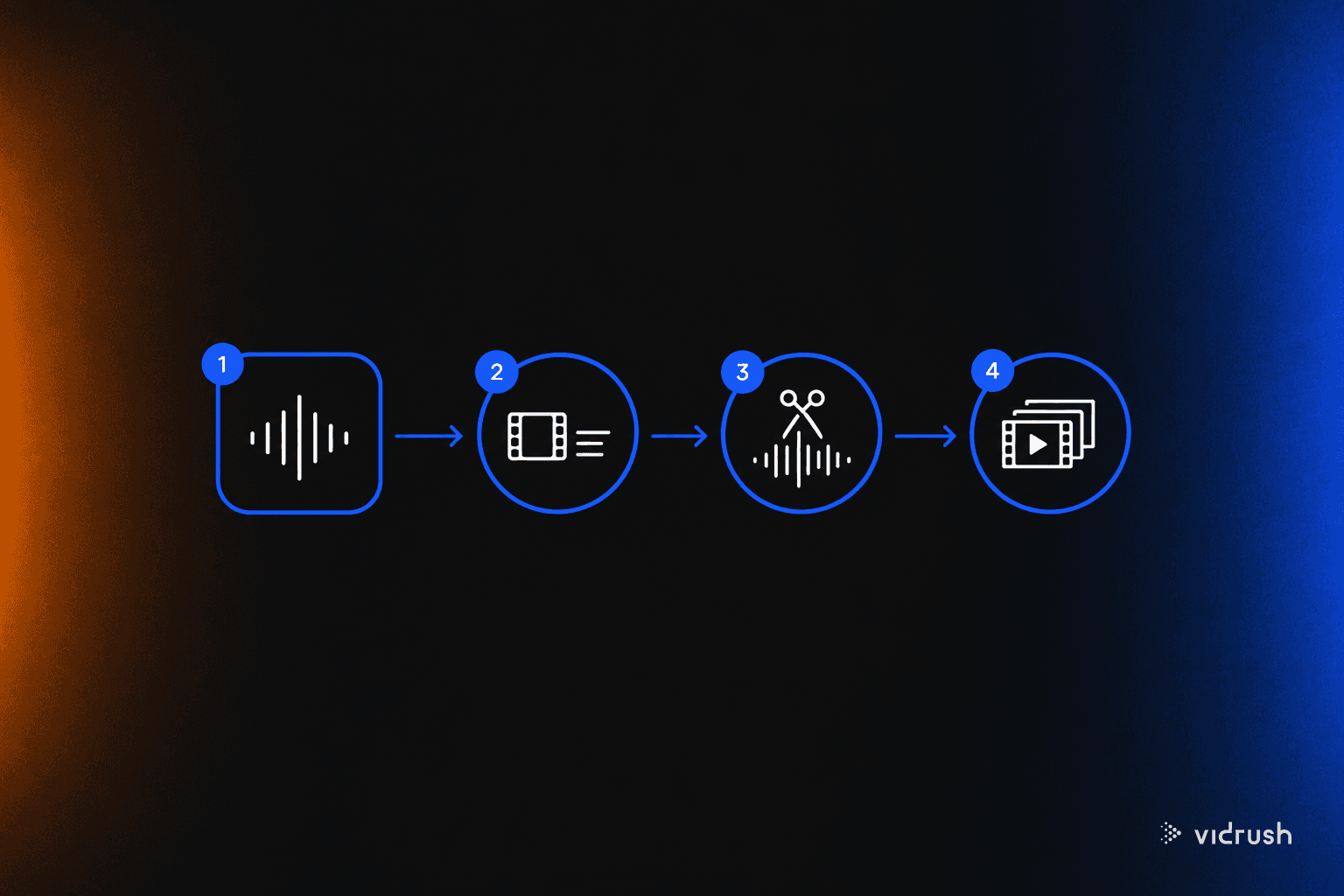
If counting 60 visuals and spending an evening cutting them is where you stall, VidRush takes your script or recorded narration, matches real stock and archive footage to it line by line, and hands back an editable timeline you check, fix and export.
Hand off the editing: freelancer, AI video tools or VidRush
Cut your first video by hand. If the cutting is what stops you making the second, and your channel is narrated long-form (explainers, documentaries, Top 10 lists), hand the edit to VidRush. The comparison that matters is with your evenings: four 10-minute videos a month at four to eight hours each is 16 to 32 hours of cutting, every month.
What you do in VidRush, step by step
Give it what you already have: the script you wrote, the narration you recorded (MP3 or WAV, 6–60 minutes), or a topic prompt. Before anything is committed, it shows you the format, length, voice, title and estimated credits, and credits are only charged when the video completes.
Come back in about 50–60 minutes to a 1080p horizontal draft with real Storyblocks and archive footage matched to each line, plus narration, captions, music and a thumbnail.
Spend 15–20 minutes in the timeline swapping the clips that don't fit, which costs no credits, then re-render for about a tenth of the original credits, download the MP4 and upload it yourself from the channel's separate account.
Treat the draft the way I treated a rough cut from an assistant editor. It gets you most of the way, and the last part is yours: checking that the footage on screen matches what the narration says, swapping the clips that don't, and adjusting the music level. Nothing publishes on its own, and it won't replace a skilled editor for custom motion graphics.
VidRush plans start at $99/month for Starter, billed monthly, as of October 2026. Starter includes 2,000 credits, which covers about 45 finished minutes. At the one or two videos a month I recommend for a new channel, that is $50 to $99 a video. It only drops to about $24.75 a video if you make four 10-minute videos a month. Each draft comes back in about an hour. There is a cheaper annual price, but don't sign up for a year before video three.
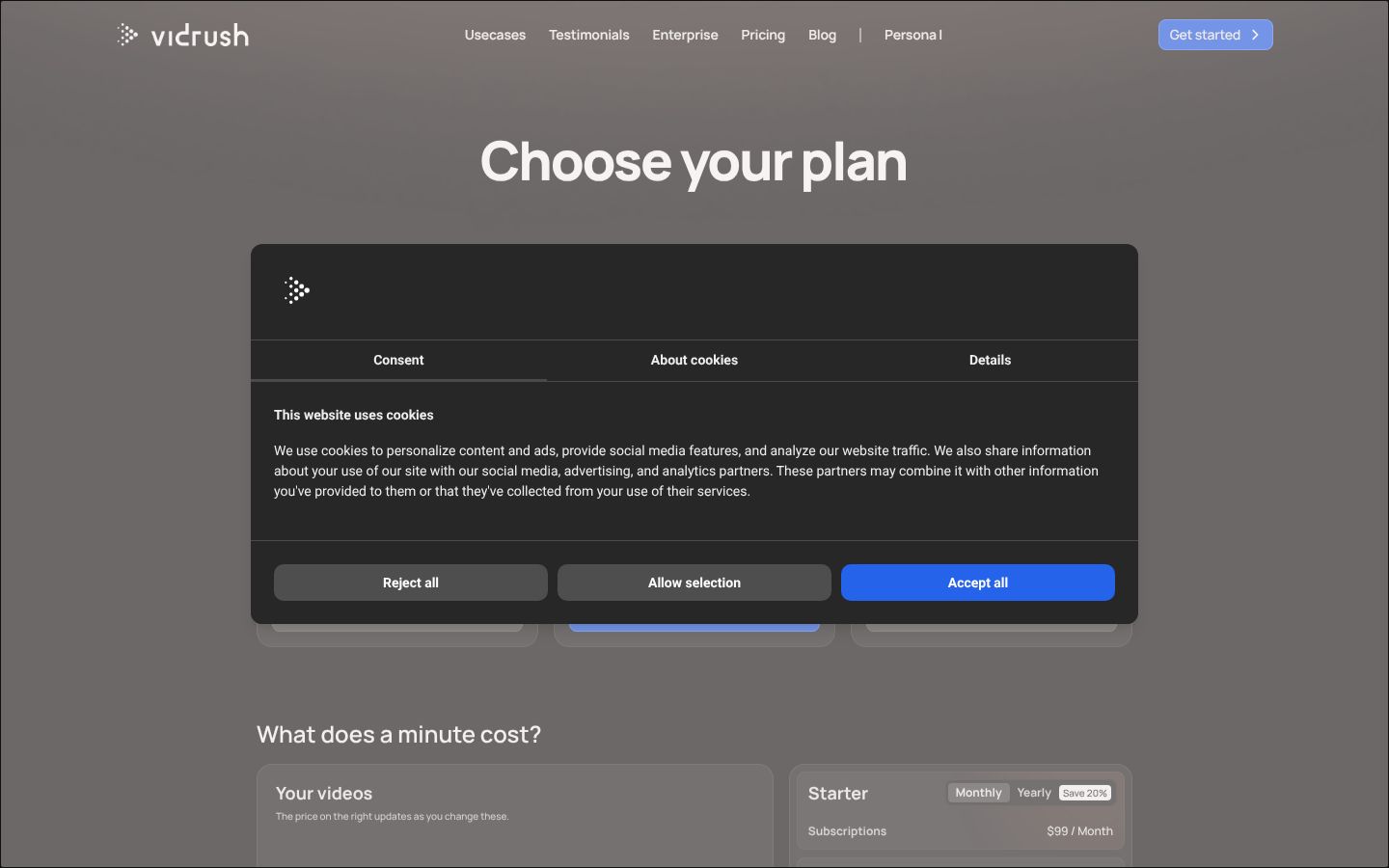
It is built for narrated, horizontal long-form between 6 and 60 minutes, and with no free tier, a $0 budget means staying manual. Typed fiction prompts are blocked, though fiction works from narration you record yourself. If you'd rather have a presenter on screen than narration over footage, VidRush can also run a channel with an AI presenter, which is a different setup.
The other ways to hand it off
Option | Monthly cost for four 10-min videos | Per video | Length limit | Revising | Turnaround | Wrong for |
|---|---|---|---|---|---|---|
VidRush Starter | $99/month, or $79.20/month billed annually | About $24.75 | 6–60 min, horizontal | Clip swaps free, re-render about 10% of credits | About 1 hour plus 15–20 min review | Shorts and vertical, screen-recorded tutorials, $0 budgets |
Entry freelancer ($9–$25/hour) | $200–$600 | $50–$150 | Whatever you brief | Rounds by message | 3–5 days | Anyone without 1–2 hours to brief and review each video |
Mid-tier freelancer ($50–$90/hour) | $800–$2,400 | $200–$600 | Whatever you brief | Rounds by message | 3–5 days | A channel with no income yet |
Pictory Starter | $29/month, or $25/month billed annually | About $7.25 | 30 min per video, 60 min of neural voice a month | Clip swaps free; voice and music export as one track | 5–10 min to assemble | Videos over 30 minutes, or fixing the music level separately |
InVideo AI Plus | $60/month, or $30/month billed annually | About $15 before revisions | Not checked | Each chat edit draws 10–50+ credits | 7–15 min draft | Long videos that need many revision rounds |
Manual in CapCut or DaVinci Resolve | $0 | $0 | None | Total control | Your 4–8 hours per video | Anyone whose hours are the blocker |
Handing off the edit: what four 10-minute videos a month cost each way (prices as of October 2026).
Freelancers on Upwork and onlinejobs.ph charge entry rates of $9 to $25 an hour, or $50 to $150 for an 8 to 15 minute faceless video. Competent mid-tier editors who choose their own B-roll and design the sound charge $200 to $600 a video. Each video still costs you one to two hours of notes and review, and three to five days of waiting.
When I ran my own channels I hired editors, and the good ones were worth every cent once the format was settled and money was coming in. A freelancer belongs at that stage, with revenue and a style worth briefing. Before it, paying several hundred dollars a month for a channel with no views is the mistake I'd steer you away from.
Pictory and InVideo AI, two of the AI video editors pitched at faceless channels, both run out on long videos. Pictory is the cheap one: it splits your script into sentence cards and puts stock behind each, but videos cap at 30 minutes, Starter's natural-sounding voice stops at 60 minutes a month, and voice and music come out baked into one track. InVideo AI drafts from a prompt in minutes, but on Plus every chat edit draws 10 to 50+ credits, so fixing a ten-minute video scene by scene eats the month's allowance, and its captions are burned into the export.
That per-edit charge is the number to check on any of these tools, because every first draft has clips you'll want to swap.
Once you are uploading on a schedule and cutting is the step eating your week, one month of Starter at $99 is the test. Paste the script from a video you already cut by hand, or upload its narration, and put the draft next to your own edit. If checking and fixing it takes less time than one of your cutting evenings, keep it. If it doesn't, cancel and stay in CapCut.
What a faceless channel costs to start, and what not to buy
Spend nothing on your first video. You have already met the whole kit: the phone or laptop you own, CapCut Desktop Free, Pexels and Pixabay for stock, and narration recorded on your phone and cleaned in Adobe Podcast, or a free Clipchamp voice. Every step of the free route above runs on that, and you finish with an uploadable 1080p file.
Where the free route breaks
It breaks on footage first, on the history, crime and technology topics where free libraries run thin. The second break is hardware: DaVinci Resolve is heavy, and on an older consumer laptop it can crash mid-edit. If that happens, stay in CapCut rather than buying a new computer.
Each upgrade, priced against the step it speeds up
Upgrade | Price (October 2026) | What it buys back | Buy it when |
|---|---|---|---|
Dynamic USB mic (Fifine AmpliGame A6V, Audio-Technica ATR2100x-USB, Samson Q2U) | $35–$80, one-time | Less echo cleanup and fewer retakes | Your own voice is the route and the room keeps fighting you |
AI voice plan (ElevenLabs Starter, Creator) | Starter $5–$6/month; Creator $11–$22/month | Replaces recording and stumble editing, the 1–2 hours from the voice section | Recording drags, or you've decided you won't use your own voice |
Stock subscription (Envato Elements, Storyblocks Essentials) | Envato $16.50/month billed annually or $39 billed monthly; Storyblocks $21/month billed annually | Most of the search time on topics free stock doesn't cover | You keep recognising your own clips, or beats sit empty |
CapCut Pro | $19.99/month or $179.99/year | Roughly 1–2 hours on auto-captions, voice isolation and cutouts | Captions are taking you an evening |
One upgrade per bottleneck. Hours saved are rough estimates; prices as of October 2026.
Buy one of these, matched to the step that ran longest on your last video, and leave the rest. For a narrated documentary that is almost always a stock subscription such as Envato Elements or Storyblocks, because footage is the stage that balloons. A screen-recording channel usually gets more from CapCut Pro for the captions, since its footage already costs nothing.
If cutting is the stage eating your week and you make narrated explainers, documentaries or Top 10 lists, that is the job VidRush does. It builds the edit from your script or your recorded narration, and you fix the result on a timeline. Starter is $99/month as of October 2026. There is no free tier, so on a $0 budget stay in CapCut.
What not to buy before video three
A camera and lights. Nothing on a faceless channel gets filmed that a phone can't handle.
An XLR mic and audio interface. In an untreated bedroom it sounds no better than a $40–$70 USB mic.
Annual software plans. The discount stops mattering if the channel stops at video two.
Automation courses. They mostly teach prompt chains you can find free.
Make three videos with what you have, then pay month to month only for the thing that is clearly stalling you. That rule comes from Stickman Matt's breakdown of what his 30-day faceless launch cost, and I'd follow it to the letter. A commenter on that video estimated that a $20-a-video editor across 14 uploads came to $280, against $94 in affiliate commission. That is one launch, but most early spending looks like it.
I learned this one expensively. On the Spanish-language list channel I ran in 2021, I had a team on the payroll long before I had a business underneath it. Money spent before you know your slowest step is money spent on a guess.
Check these identity leaks before you upload
Faceless creators get identified through whatever ties the channel back to the person, and it is almost never the voice. In Pseudoface's analysis of 250,000 creator threads, reused usernames explained about 35% of real-identity discoveries and shipping addresses or wishlists about 29%, with file metadata behind much of the rest. Voice was under 2%.
Set up the channel on its own account
Create a fresh Google account for the channel instead of using your personal Gmail.
Use a logo or illustration as the profile picture, never a photo of yourself.
Leave your city, school and employer out of the About section.
That setup protects the account. It does nothing about an old username sitting in a video description or details left inside a file you upload, so run six checks before each upload, in order of how often each leak turns up: links first, files second, picture and sound last.
The six checks
Username never used before. Search the channel name and handle in quotes: if your old gaming tag, forum name or Instagram shows up, pick another.
Separate contact email. The About tab gets a channel-only address, never your personal Gmail.
Payment links without your legal name. Open your tip, Gumroad or PayPal link logged out and see what name the buyer sees.
Clean file metadata and paths. Strip location and author data from the thumbnail, and make sure no file path like C:/Users/YourName appears on screen.
Frame scan. Step through the video for reflections in screens or glasses, open bookmarks, desktop notifications and local landmarks.
Audio-only listen. Play the whole video with the picture off and listen for voices in the next room, local sirens or a family member.
The steps follow TubeBoosts' pre-upload checklist for anonymous creators, reordered by how often each leak turns up. The first three take ten minutes and catch the leaks that matter most, so do them even if you skip the rest.
Where this goes wrong
Most people get the account right and then leak in week three, when they add a merch link, reply from the wrong profile or reuse a username for the channel's X account. Treat every new account you make for the channel as another place to run check one.
Caveat: These checks close the common leaks. They cannot guarantee nobody ever works out who you are, especially someone who already knows you.
Can faceless channels make money, and how long does it take?
Yes, but plan to earn from links and small products before you earn from ads, and expect weeks of low views first. For what YouTube's rules say about AI and monetisation, see the page we keep updated.
Earning before ads
Put two things under every video from the first upload. This is how Alston Godbolt, who runs several faceless channels, brings money in before ads do:
Affiliate links for the tools or software shown in the video, through Amazon Associates or the tool's own partner programme.
A $5–$15 template that solves the video's exact problem, such as a spreadsheet, checklist or Notion page, sold on Gumroad or Lemon Squeezy.
On one of his cooking channels that meant Amazon links for kitchen tools and a $7 budget calculator. Put the links in the top lines of the description and the pinned comment. His method suits faceless tutorials and explainers better than documentaries, because a documentary rarely shows something the viewer can buy. If your topic has no obvious product, skip it and spend the energy on video two.
What the first weeks look like
Expect them to be flat. In the Stickman Matt launch, the first video had 12 views on day one, and suggested traffic only showed up around the tenth upload. One launch is not a law. It does match every channel I started myself: the first weeks were quiet, and none of them looked like the screenshots in channel-launch ads.
That quiet stretch is where I have seen channels die, which is why I'd finish a backlog before uploading anything. Barrera, the creator behind the outlier check, completes two to three weeks of scripts, voiceovers and edits before he publishes, and tracks every video on a board with a column for each stage. His reason is that video one goes out, the views are quiet, and video two then has to start from a blank page at the worst possible moment.
I have watched far more channels stall at video two than at video one. Video two should already be finished when video one goes quiet, so build the backlog even if it pushes the launch back a month.
How often to upload
Don't take the upload-daily advice as given. Among the established faceless English channels we analysed, the ones posting once or twice a month averaged more views per video than the ones posting many times a month. That is a correlation among channels that already had traction, and posting less will not raise your views on its own. It does show that the channels doing well are not the ones flooding the feed.
Commit to one or two videos a month. At 10 to 16 hours a video, that is what a person with a job can keep up, and the daily channels I have run were gone by month four while the slower ones kept going. Put a date in the calendar for video two and start its footage check this week. If you hold that pace for months and the numbers still don't move, read our guide to why a faceless channel stalls after 20 videos.
Pick a faceless style by where its pictures will come from: screen recording, hands-only filming, narration over stock or archive footage, or built graphics. Check that your topic has footage before you write a word, then script it, narrate it and cut the visuals to the voice. By our own production estimate, a first 8–12 minute narrated video takes a solo beginner 10–16 hours, most of them spent on the visuals, and you can do all of it for $0.