
Noah Morris
Co-Founder

Use The Best AI Video Editors For Faceless YouTube Channels In 2026
Most people don’t really struggle with coming up with ideas for YouTube. The real problem starts when it’s time to actually sit down and edit the video. What feels like a “quick edit” always turns into hours of cutting clips, fixing timing, adding captions, and trying to make everything look decent. And the worst part is, you don’t just do this once… you have to go through the same process at least once every week if you want to stay consistent. Over time, it starts feeling less like creating content and more like getting stuck in the same time-consuming routine again and again.
That’s where AI video editors change everything. This is also why many creators now compare different AI tools for faceless YouTube videos before choosing one workflow. Instead of spending hours building each video from scratch, you can use tools that handle most of the heavy work for you. And when it comes to keeping things simple and fast, VidRush stands out because it keeps everything in one place, which makes it much easier to stay consistent and actually keep uploading without burning out.
Why Faceless Creators Need A Different Kind Of Video Editing For Faceless Videos?
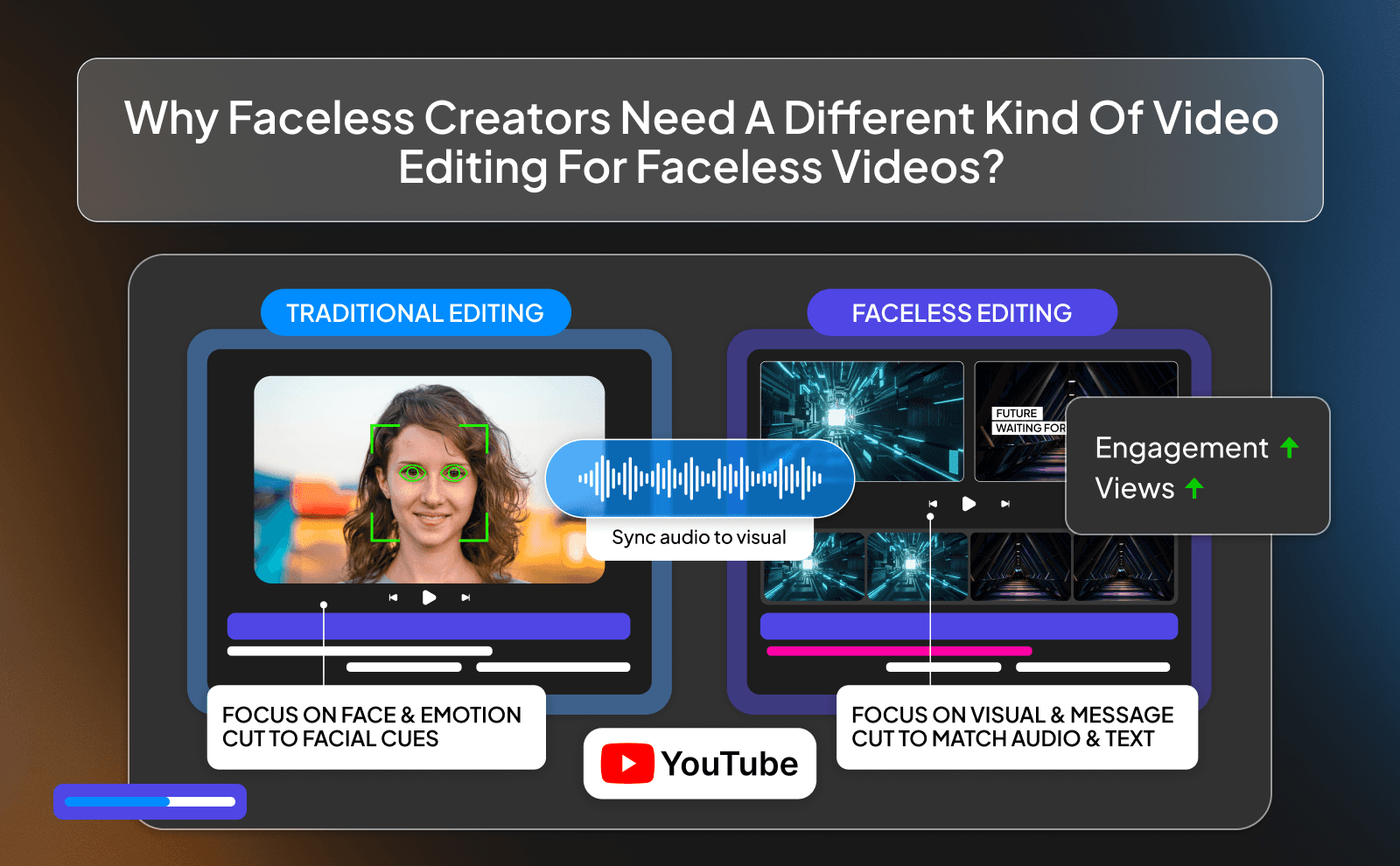
Faceless content plays by completely different rules. When you’re not showing your face, you can’t rely on personality, expressions, or camera presence to carry the video. Everything depends on what people hear and see. your voiceover, the visuals, the pacing, the captions. That means editing isn’t just a small part of the process… it is the video. If the visuals don’t match the voice, or the timing feels off, people click away fast. There’s no “face” to save the video.
That’s why faceless creators need a different kind of editing. something faster, smarter, and more automated. You’re not just cutting clips, you’re constantly matching visuals to ideas, keeping the video moving, and making sure there’s always something happening on screen. Doing that manually every time is exhausting. AI editing tools are built for exactly this.
How VidRush Stands Out As The Best AI Video Editor For Faceless YouTube Channels?
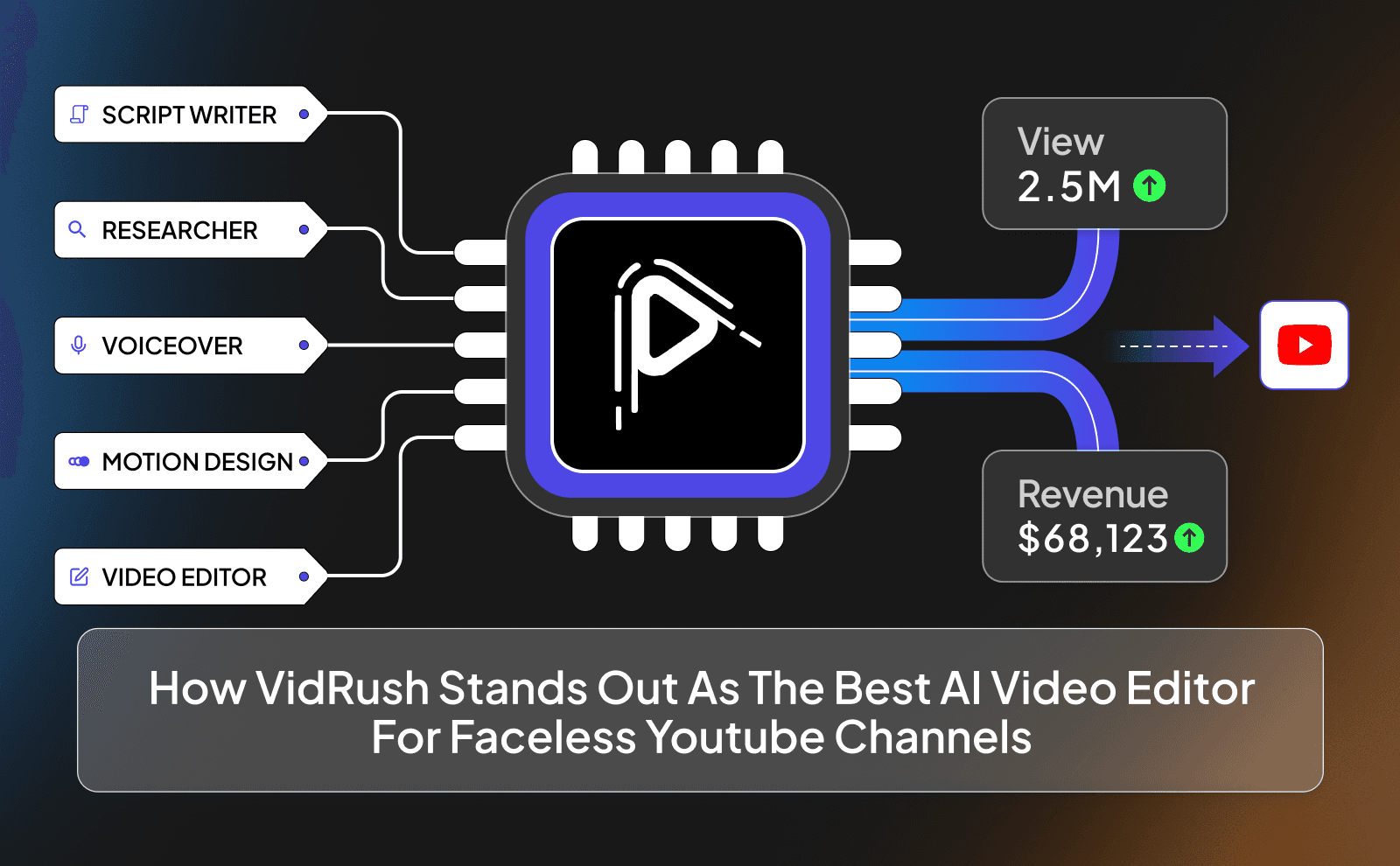
VidRush stands out because it’s not trying to be everything for everyone. it’s clearly built for people who want to create fast and stay consistent. Instead of giving you a bunch of complicated tools and expecting you to figure it out, it focuses on one thing: turning your idea into a finished video as quickly as possible. That’s exactly what faceless creators need, especially if they’re trying to upload often.
What makes it different is how smooth the whole process feels. You’re not jumping between apps or dealing with messy workflows. Everything is connected, so you can go from script to final video without slowing down. It removes the friction that usually kills momentum, which is why it fits so well for people who want to scale their content instead of getting stuck in editing.
Why VidRush Is Built For Faceless Creators?
VidRush is designed around the way faceless channels actually work. If you are building a faceless YouTube channel, this kind of simple workflow matters more than having too many advanced settings. Most faceless creators don’t want to spend hours tweaking tiny details.. they want a system they can repeat every day. VidRush leans into that by simplifying the process and automating the parts that take the most time, like matching clips, adding captions, and building the timeline.
It also understands that consistency matters more than perfection. You don’t need every video to be flawless, you need to keep posting. That’s why the platform focuses on speed and simplicity. It helps you get good results quickly so you can stay consistent, which is what really grows a faceless channel over time.
How VidRush Handles Script, Voice, Visuals, And Editing In One Place?
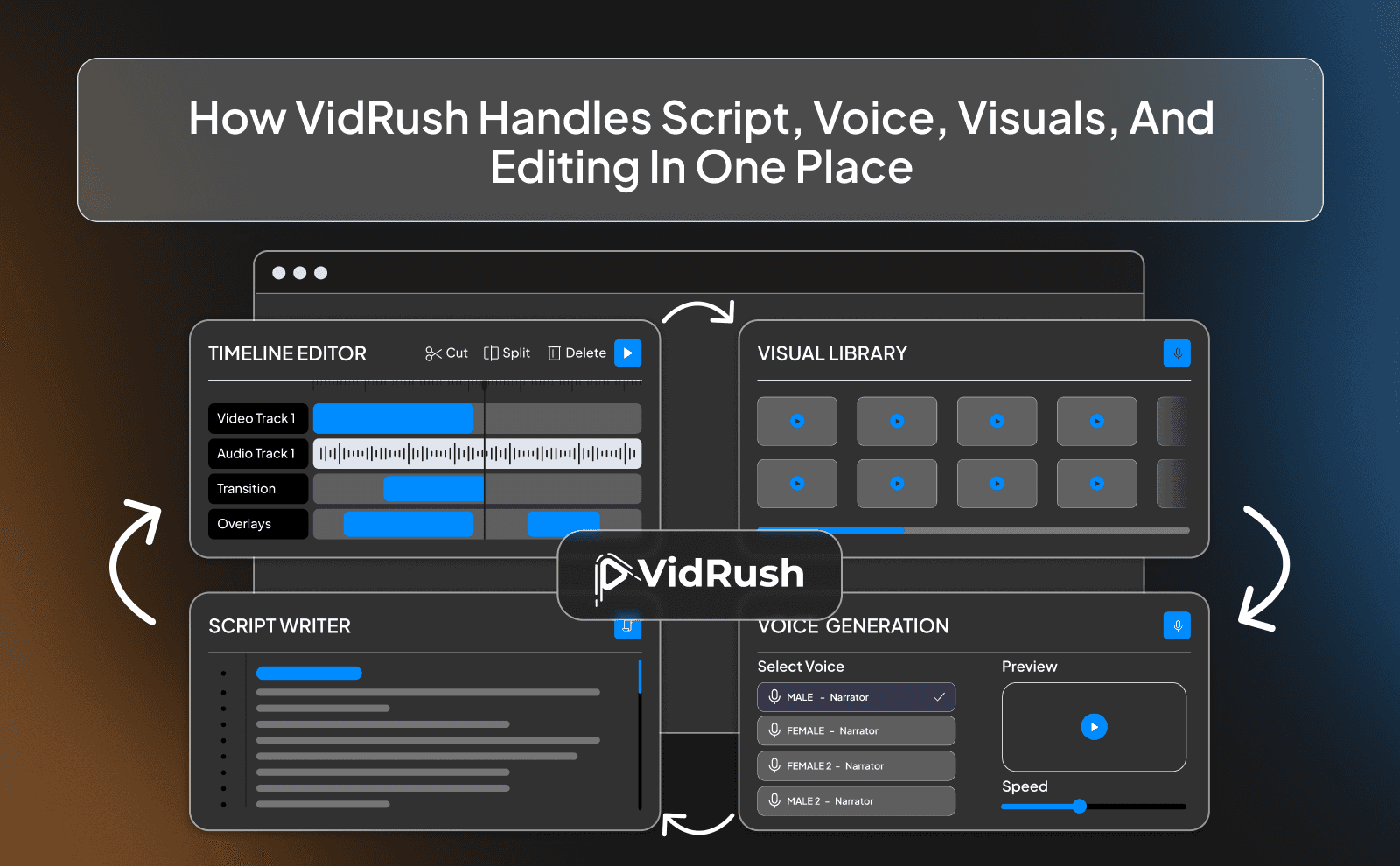
With VidRush, everything happens in one flow. This makes it feel more like a script-to-video tool than a normal editor, because the whole process starts from the script and moves straight into the video. You start with your script, either type it in or upload it. You can also use an AI script generator first if you want to create the idea and script before adding it into the editor. Then you add or generate a voiceover, and the AI connects it to visuals automatically. Instead of handling each step separately, it all works together, which makes the process feel way simpler.
This all-in-one setup saves a lot of time and mental energy. You’re not exporting files, switching tools, or trying to keep everything organized across different platforms. It’s all there in one place, moving step by step. That’s what makes it powerful. it turns a complicated process into something you can repeat without thinking too much about it.
What To Look For In The Best AI Video Editor For Faceless YouTube?
The best AI video editor isn’t the one with the most features, it’s the one that actually makes your life easier. You want something that can take your idea and turn it into a video fast, without making you jump through a bunch of steps. If a tool still feels complicated or slow, it’s not really helping you grow.
You should also look for tools that match how you work. If you’re posting often, you need speed. If you’re making longer videos, you need control. The right tool fits your workflow instead of forcing you to change everything. At the end of the day, it should help you create more content with less effort.
Smart Cuts, Auto Captions, And Scene Detection
These are the basics, but they matter a lot. Smart cuts save you from manually trimming clips and fixing timing. Auto captions keep your videos engaging, especially for people watching without sound. Scene detection helps your video flow naturally instead of feeling choppy or random.
Without these features, you’re stuck doing everything by hand, which slows you down. With them, most of the boring work is already done for you. You just come in, review, and make small improvements instead of building everything from scratch.
Built In Voiceover, Music, And Stock Footage Library
A good AI editor should give you everything you need in one place. Voiceovers, music, and stock clips are all essential for faceless content, so you shouldn’t have to go searching for them separately every time you make a video. A good AI voice generator can also help you make your videos sound more natural without recording your own voice.
Having these built in saves a huge amount of time. You can create a full video without leaving the platform, which keeps your workflow simple and fast. It also makes things easier if you’re just starting and don’t have your own assets yet.
Auto Posting, Series Mode, And Faceless Channel Templates
Features like auto posting let you schedule content without thinking about it. Series mode helps you create similar videos quickly without starting from zero every time.
Templates are also useful if you use them the right way. They give you a structure to follow so you don’t waste time setting everything up again and again. When all of this comes together, you’re basically running a system that helps you grow your channel faster and on autopilot.
Top AI Editors For Faceless YouTube You Can Try In 2026
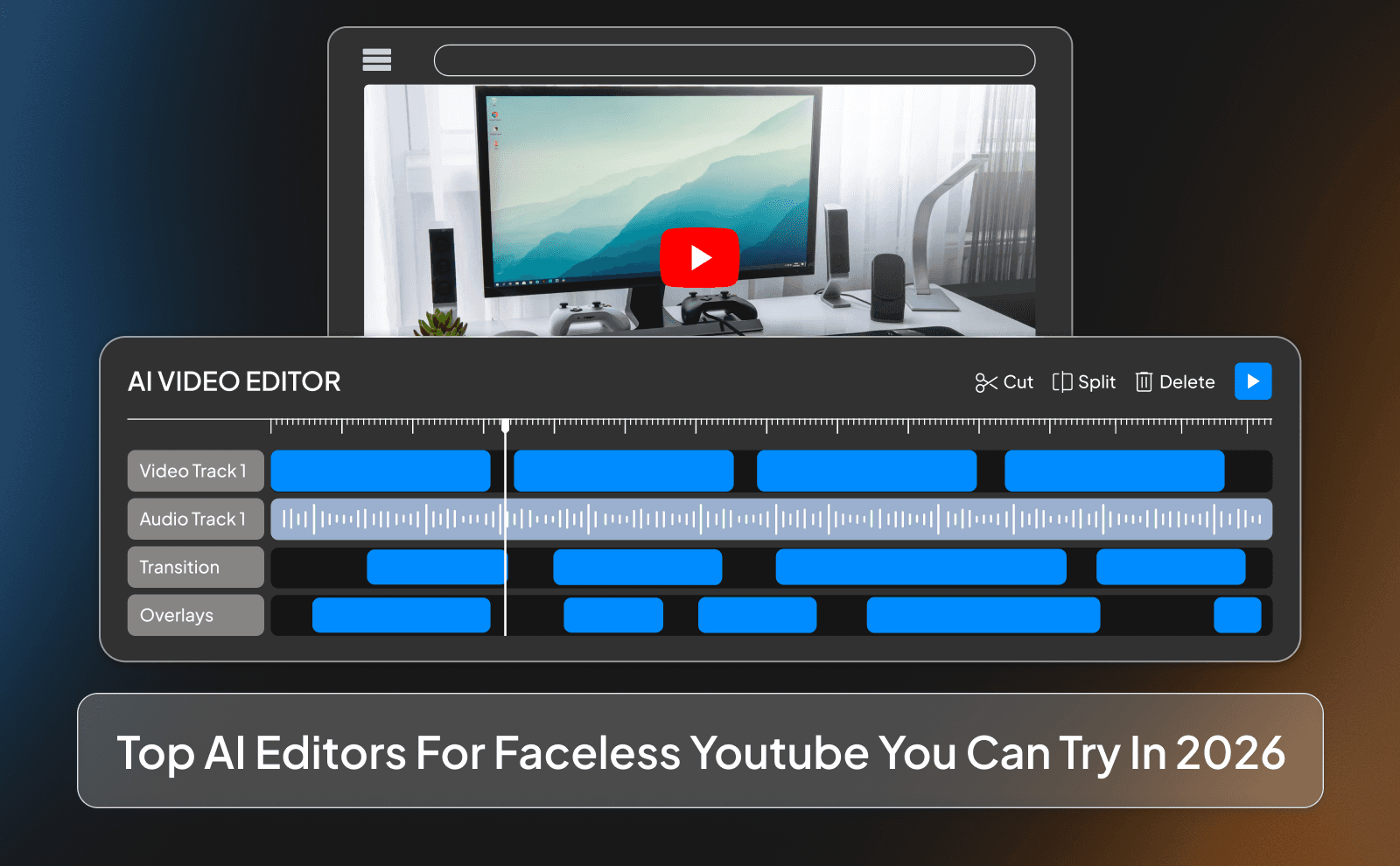
Right now, there are a bunch of AI editors out there, but only a few actually make sense for faceless YouTube. Tools like VidRush are built for speed and simplicity, which is why a lot of creators lean toward them. Then you’ve got other solid options like Pictory or InVideo AI that focus more on turning scripts into videos quickly.
The real difference comes down to how smooth the workflow feels. Some tools are great for quick videos but feel limited when you want more control. Others give you more flexibility but take longer to learn. That’s why most faceless creators test a few and then stick with the one that helps them move fast without overcomplicating things.
Tools That Generate Full Faceless Videos Form A Single Prompt
Some AI tools are going even further now. they let you create a full video from just a simple prompt. You type in your idea, and the tool generates the script, voiceover, visuals, and editing all in one go. This is the easiest way to understand how AI video generation works, because you can see the full process happen from one simple prompt. Tools like VidRush and InVideo AI are known for this kind of workflow, where you can go from nothing to a full video in minutes.
That said, these tools are best used as a starting point. They’re great for speed, but you’ll still want to tweak things to make the video feel more natural and engaging. Think of them as a fast way to get a rough version done, not the final product.
Tools Made For Editing And Cleaning Up Long Form Faceless Content
Long-form videos are a different game. You’re dealing with more footage, longer scripts, and more chances for things to feel slow or repetitive. That’s where tools like Descript or Adobe Premiere Pro (with AI features) come in. They’re better for cleaning up audio, tightening pacing, and giving you more control over longer videos.
But even here, AI is starting to take over the boring parts. You can remove silence, fix mistakes, and structure your timeline much faster than before. Some creators even mix tools using something like VidRush to build the base and then improve in a more advanced editor if needed.
Free Vs Paid Top Rated AI Editors For Faceless Creators In 2026
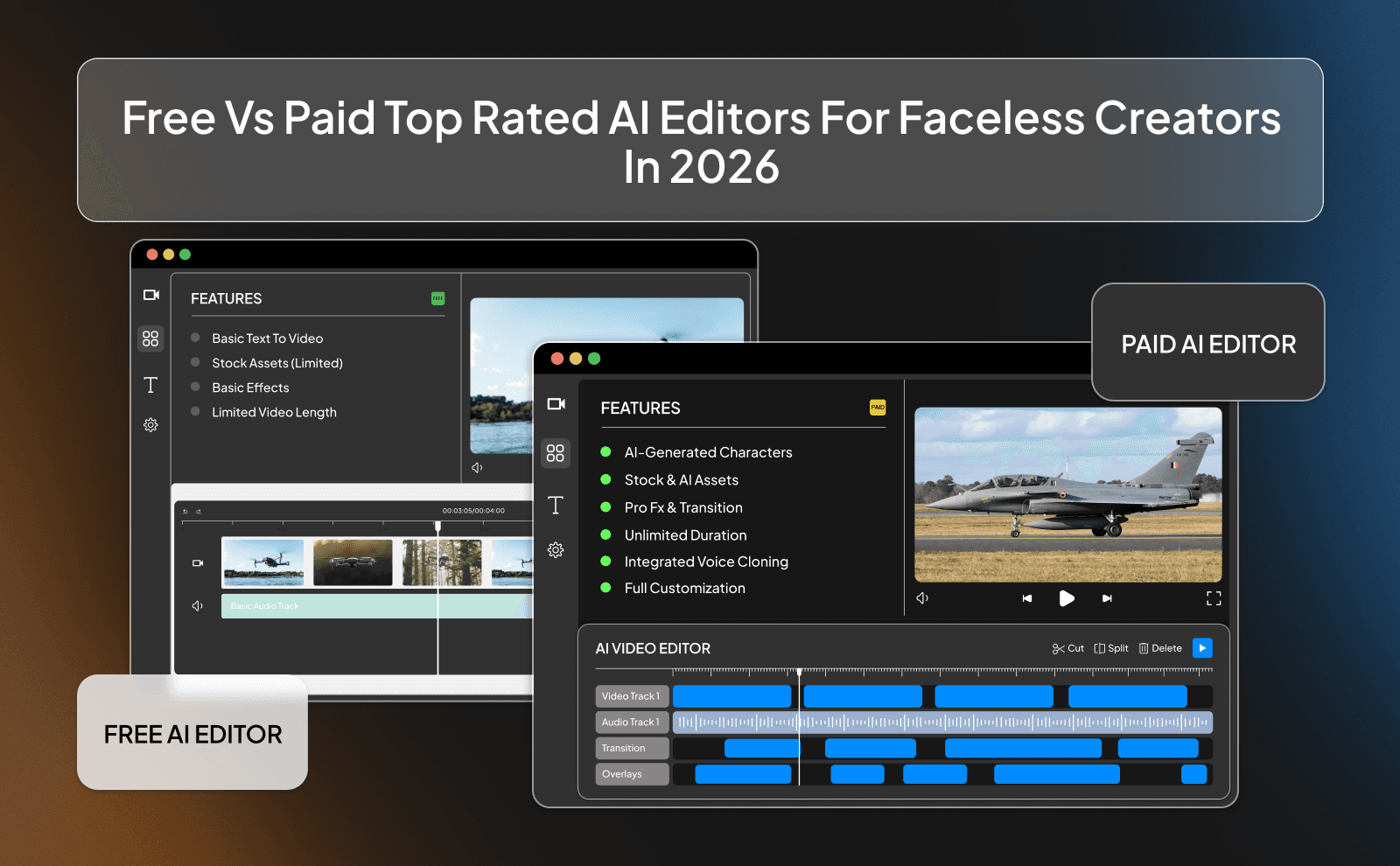
Free tools are a great way to get started. They let you test ideas, learn the basics, and create your first videos without spending money. But they usually come with limits. watermarks, fewer features, or slower processing. They’re good for learning, but they can slow you down once you start taking things seriously.
Paid tools, on the other hand, are built for speed and scale. They remove those limits and give you more control, better quality assets, and smoother workflows. If your goal is to grow a channel and stay consistent, paid tools usually make more sense in the long run. You should also understand the YouTube policy on AI content so your videos stay safe while using these tools.
What You Really Get With Free AI Video Editing Tools?
With free tools, you get access to the basics. simple editing, maybe auto captions, and limited stock clips. It’s enough to create content and understand how everything works. For beginners, this is perfect because you can experiment without pressure.
But as soon as you try to scale, the limits become obvious. You might run into export restrictions, lower-quality assets, or missing features that slow you down. That’s when free tools start feeling more like a barrier than a help. They’re a starting point, not a long-term solution.
When It Makes Sense To Pay For The Best Faceless YouTube Editing Software?
It makes sense to pay when your time becomes more valuable than the cost of the tool. If you’re spending hours editing or dealing with limitations, that’s time you could use to create more videos or improve your content. Tools like VidRush are built to save that time and make the whole process smoother.
Another sign is when you’re ready to be consistent. If you’re serious about posting regularly and growing your channel, a paid tool can help you keep up without burning out.
How To Pick The Best Video Editor For YouTube Automation According To Your Budget?
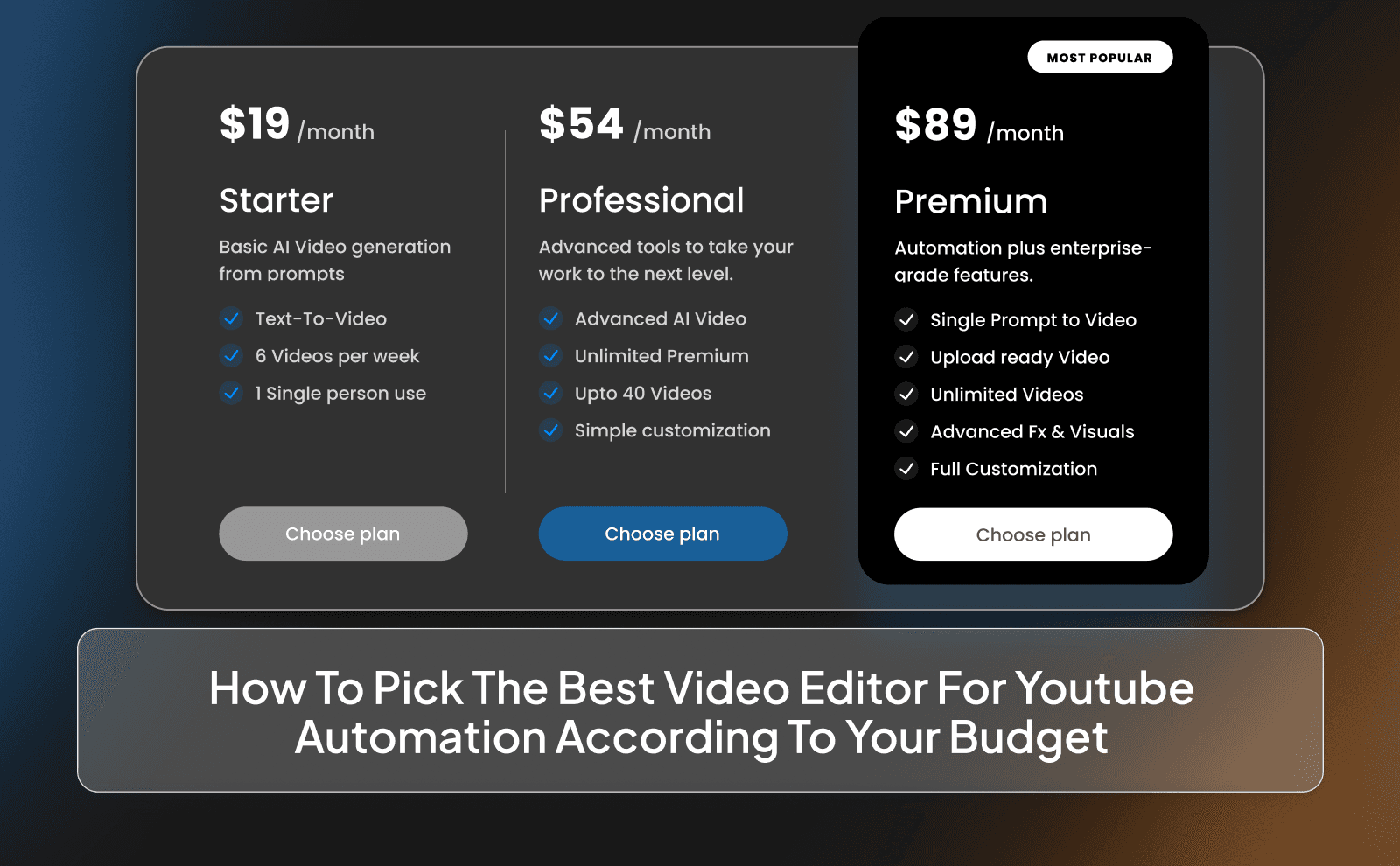
If your budget is low, start simple. Use free or low-cost tools to learn the process and get your first videos out. Don’t overthink it. focus on building momentum instead of having perfect tools.
As your channel grows, upgrade step by step. Look for tools that save you the most time and fit how you work. The goal is to invest in tools that help you create more and better content, not just ones with fancy features you won’t use.
Best Video Editor For Faceless Channel Based On Your Niche
Different niches need slightly different styles of editing. A finance or education channel might need clean visuals and clear explainers, while a motivation or story channel might focus more on emotion and storytelling. The tool you choose should match the kind of content you’re making.
That’s why there’s no one-size-fits-all answer. Some tools are better for quick, simple videos, while others give you more control for detailed content. The best choice is the one that fits your niche and helps you stay consistent.
Top AI Editing Software For Faceless Videos In Finance, History, And Education
For these niches, clarity is everything. You want visuals that support what you’re saying without distracting from it. Tools like VidRush work well here because they keep things simple and structured.
You can also use tools like Pictory to quickly turn scripts into clean, informative videos. The focus should always be on making the content easy to understand and follow.
Best Picks For Motivation, Stories, And Mindset Channels
These channels rely more on emotion and storytelling. The visuals need to match the tone of the voiceover and keep the viewer engaged. AI tools that handle B roll and music well are especially useful here.
VidRush is a strong option because it helps you build that flow quickly, while tools like InVideo AI can help you generate ideas and structure faster. The goal is to keep the video moving and emotionally engaging.
Best Picks For Tech Reviews, Listicles, And Top 10 Style Channels
These types of videos are all about speed and structure. You’re going from point to point, showing different things quickly, and you don’t want any slow or awkward moments. If the pacing drops, people leave. So you need a setup that lets you move fast without overthinking every cut. That’s where tools like VidRush come in. they help you build that fast, clean flow without spending hours adjusting every little detail.
You don’t need anything complicated here. What matters is being able to switch scenes quickly, keep the visuals matching what you’re saying, and make the video feel smooth from start to finish. Some creators mix in more advanced tools later, but honestly, most of the time you just need something that lets you get in, build the video, and get out without wasting time.
How Faceless YouTubers Use The Best Video Editing Software For YouTube Automation?
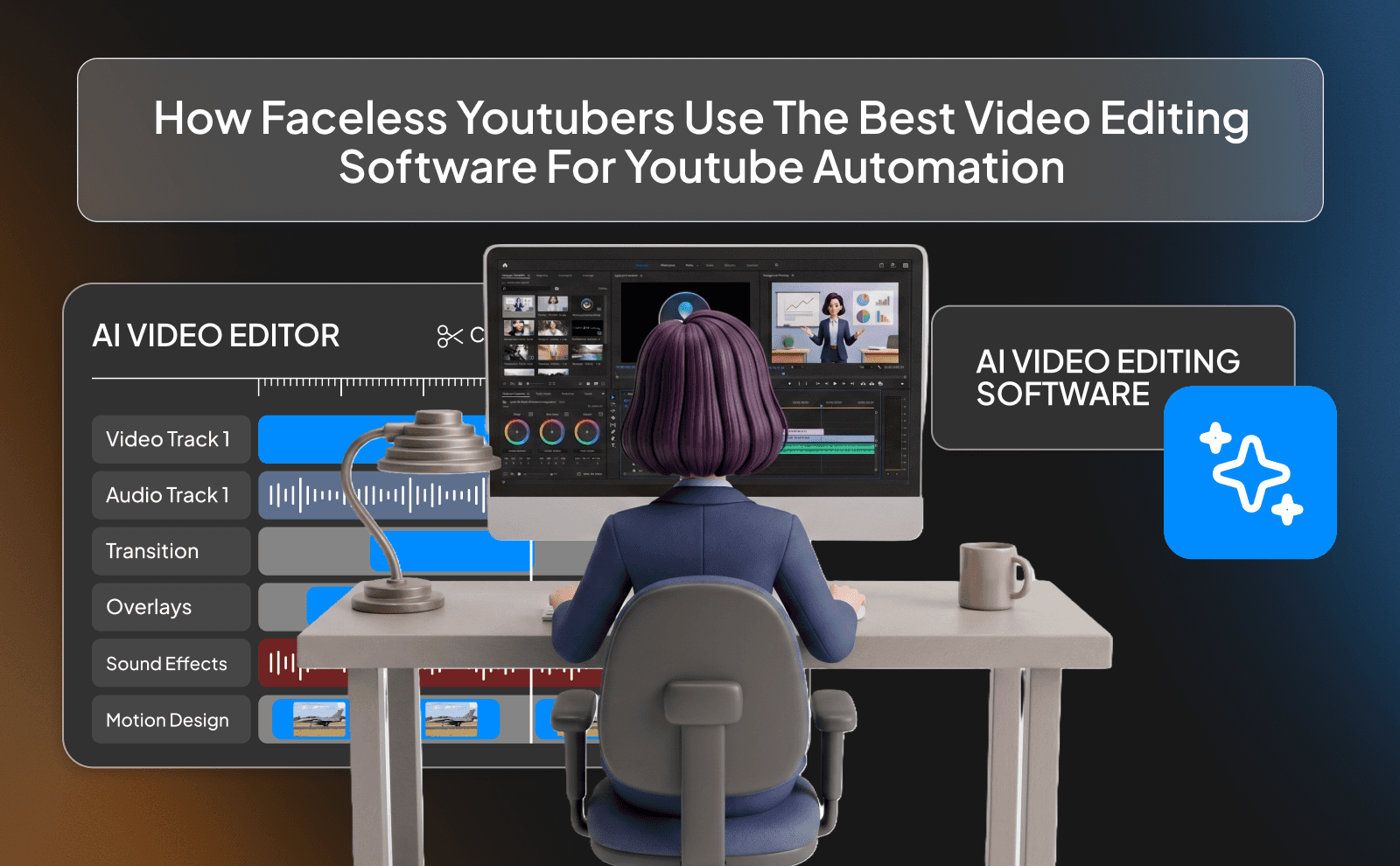
Setting Up A Repeatable Faceless Editing Workflow
If every video feels like you’re starting from zero, you’re doing it wrong. You want a setup where you already know what to do before you even start. Same structure, same steps, just a different idea each time. That’s what makes things faster over time.
It doesn’t have to be complicated either. Just stick to a simple flow and improve it as you go. The more you repeat it, the less you think about it. And when you stop thinking about the process, you start moving way faster.
Batch Producing Videos Without Losing Quality
One of the easiest ways to save time is batching. Instead of making one video from start to finish, you group things together. Write a few scripts at once, record a few voiceovers, then let the AI handle the editing in batches. It feels way more efficient than switching tasks every few hours.
And the good thing is, you don’t really lose quality if you do it right. The AI keeps things consistent, and you still go back and fix small things before posting. So you end up with more videos done in less time without them feeling rushed.
Running Multiple Faceless Channels Using One AI Editor
Once you’ve got a system that works, you can reuse it for different channels. The process doesn’t really change, just the topic. That’s how some creators run two, three, even more channels without losing their mind.
Using one tool like VidRush makes this way easier because everything stays simple. You’re not learning new software or changing your workflow every time. You just repeat what already works and scale it.
Common Mistakes Creators Make When Picking AI Video Editing Tools Faceless Niche
Choosing Tools That Look Good But Cannot Scale
Some tools feel great when you’re just testing things out. But once you try to post consistently, they start falling apart. Maybe they’re too slow, maybe they have limits, or maybe the workflow just isn’t built for daily use.
That’s when it becomes a problem. You don’t just need something that works once, you need something you can rely on every day. If a tool can’t keep up with you, it’s going to hold you back.
Ignoring Voice, Music, And Stock Library Quality
A lot of people focus only on editing and forget about what’s actually inside the video. You can have perfect cuts, but if the voice sounds off or the clips feel random, the video won’t hit.
That’s why the quality of your voice, music, and visuals matters so much. Good tools make this easier by giving you solid options right away, so you’re not stuck searching for decent content every time you edit.
Switching Tools Too Often Instead Of Mastering One
It’s easy to fall into the trap of trying every new tool that comes out. It feels like you’re being productive, but really you’re just resetting your progress over and over again.
You’re way better off picking one solid tool like VidRush, and sticking with it. Once you actually learn it properly, everything gets faster, and your videos get better without you even trying as hard.
Conclusion
At this point, it’s pretty clear where things are going. Faceless YouTube isn’t about grinding for hours on editing anymore. it’s about how fast you can turn an idea into a finished video and move on to the next one. The people winning aren’t doing anything crazy… they just have a simple system and stick to it. They’re not trying to be perfect, they’re just consistent. And AI tools are what make that possible without burning out.
FAQs
What Is The Best AI Video Editor For Faceless YouTube Channels In 2026
Tools like VidRush, InVideo AI, and Pictory are among the best choices right now.
Which Is The Best Video Editor For Faceless Channel Beginners
VidRush is one of the easiest to start with because everything is simple and in one place.
Are Top AI Editors For Faceless YouTube Better Than Human Video Editors
They’re better for speed and consistency, but human input is still needed for quality and creativity.
Are AI Video Editing Tools For Faceless Content Really Worth The Money
Yes, if you want to save time and post consistently, they usually pay off quickly.
What Is The Best Video Editing Software For YouTube Automation Right Now
VidRush stands out for automation, with others like Descript supporting more detailed edits.
Where Can I See A Fair AI Editor Comparison Faceless YouTube Creators Trust
The best comparisons usually come from YouTube reviews and creators testing tools in real workflows.
What Is The Best Video Editor For YouTube Automation 2026 For Solo Creators
VidRush is a strong choice because it handles everything without needing a team.
Do AI Video Editing Tools Faceless Niche Channels Use Also Work For Shorts
Yes, most of them can easily turn long videos into shorts or vertical clips.
Which Top AI Editing Software For Faceless Videos Has The Most Natural Voices
InVideo AI and similar tools are known for more natural-sounding AI voices.
Is There A Free Option For The Best Faceless YouTube Editing Software
Yes, but free versions usually come with limits, so they’re best for testing, not scaling.
Why Do Faceless Creators Choose VidRush Over Other AI Editors
VidRush keeps everything simple, fast, and in one place, which makes it easier to stay consistent.
Create fast, consistent faceless YouTube videos using the best AI video editor for faceless YouTube with built-in tools and smart automation.