Theo Brennan
Editor

The best AI video generator for YouTube depends on the video you make. For finished long-form videos, VidRush turns a prompt, script or voiceover into a 6 to 60 minute 1080p edit with real footage. Use HeyGen for standalone avatar clips and Google Veo or Runway for generated B-roll. For Shorts, use Opus Clip.
I work at VidRush, and it is my pick for long-form. Judge each tool by what a finished upload costs in cash and hours.
The best AI video generators for YouTube, ranked by job
Note: How we researched this. We read each tool's pricing and documentation pages in October and November 2026, plus creator walkthroughs and threads in r/NewTubers and r/aitubers. Only 3 of the 18 tutorials we gathered showed a full workflow. So every hand-hour figure here is an estimate, not a timing.
1. VidRush: finished long-form YouTube videos (faceless, talking-head or AI presenter)
Best for faceless documentaries, explainers, listicles, talking-head recordings and AI-presenter videos of 6 to 60 minutes. Paste a prompt or script, or upload a voiceover or recording. You get a 1080p widescreen video with narration, licensed B-roll, captions, music and a thumbnail. Starter is $99 a month for 2,000 credits, about 45 finished minutes.
The pro: it delivers the whole edit, not one link in a chain of AI tools for faceless videos. The AI Avatar option (beta, English only) can put a presenter in front of the B-roll. The con: no free tier and no Shorts. Treat the first render as roughly an 80% solution and plan a pass to swap clips. A niche with thin footage gets repetitive stock.
2. InVideo AI: prompt-to-video with stock footage
Best for quick 3 to 10 minute drafts with stock and generated clips, a synthetic voice and subtitles. Starter is $20 a month for 400 credits, and Plus is $60 for 2,000. The pro is speed. The con: an estimated 45 to 90 minutes of clean-up, and chat edits cost 10 to 50+ credits a turn.
3. Pictory: script and blog-to-video
Best if you already have scripts or blog posts to convert. It matches stock visuals to your text, and the matching is where it slips. In the one Pictory tutorial we coded, the creator had to replace a shot that missed its line. We could not confirm a current price, so check Pictory's own pricing page.
4. HeyGen: standalone AI avatar clips
Best for one to five minute presenter clips. It turns a script into a lip-synced avatar video in 175+ languages. The Creator plan costs $29 a month, and its 600 credits cover about 12.5 to 19.3 presenter minutes. You get a presenter without filming, but no B-roll and no edit around them.
Between InVideo AI and HeyGen, pick InVideo for faceless drafts and HeyGen for a presenter clip. For a full presenter-led YouTube video, use VidRush's AI Avatar (beta, English only). It makes the whole edit, with B-roll carrying the story. VidRush vs HeyGen shows the difference.
5. Google Veo 3.1: generated cinematic clips and B-roll
Best for a single cinematic B-roll shot in your own edit. Veo 3.1 makes 4, 6 or 8 second clips, billed per second through Google's API. The pro is native sound with the picture; the con is that script, narration and timeline stay yours. Grok Imagine is similar, with clips of 1 to 15 seconds at $0.25 a second at 1080p.
6. Runway: generative clips for editors
Best for editors who want camera control on single 5 or 10 second shots. Runway's Standard plan runs $15 a month with 625 credits, and Gen-4.5 uses 12 a second. That buys about 52 seconds of footage with no voice or captions. On the aviation channel I ran, the slow part was always the other two hundred shots.
7. Opus Clip: cutting long videos into Shorts
Best for YouTube Shorts when you already have long-form to cut from. It finds moments, reframes them vertically and adds subtitles. The free plan gives 60 watermarked minutes a month, and Starter is $15 for 150 minutes. The con: it bills on source minutes, and it cannot make the original video.
In short:
VidRush for finished long-form, faceless or with an AI presenter.
InVideo AI or Pictory for drafts you will clean up.
HeyGen for presenter clips, Veo or Runway for single shots.
Opus Clip for Shorts, CapCut to finish anything by hand.
How VidRush turns a script into a finished YouTube video
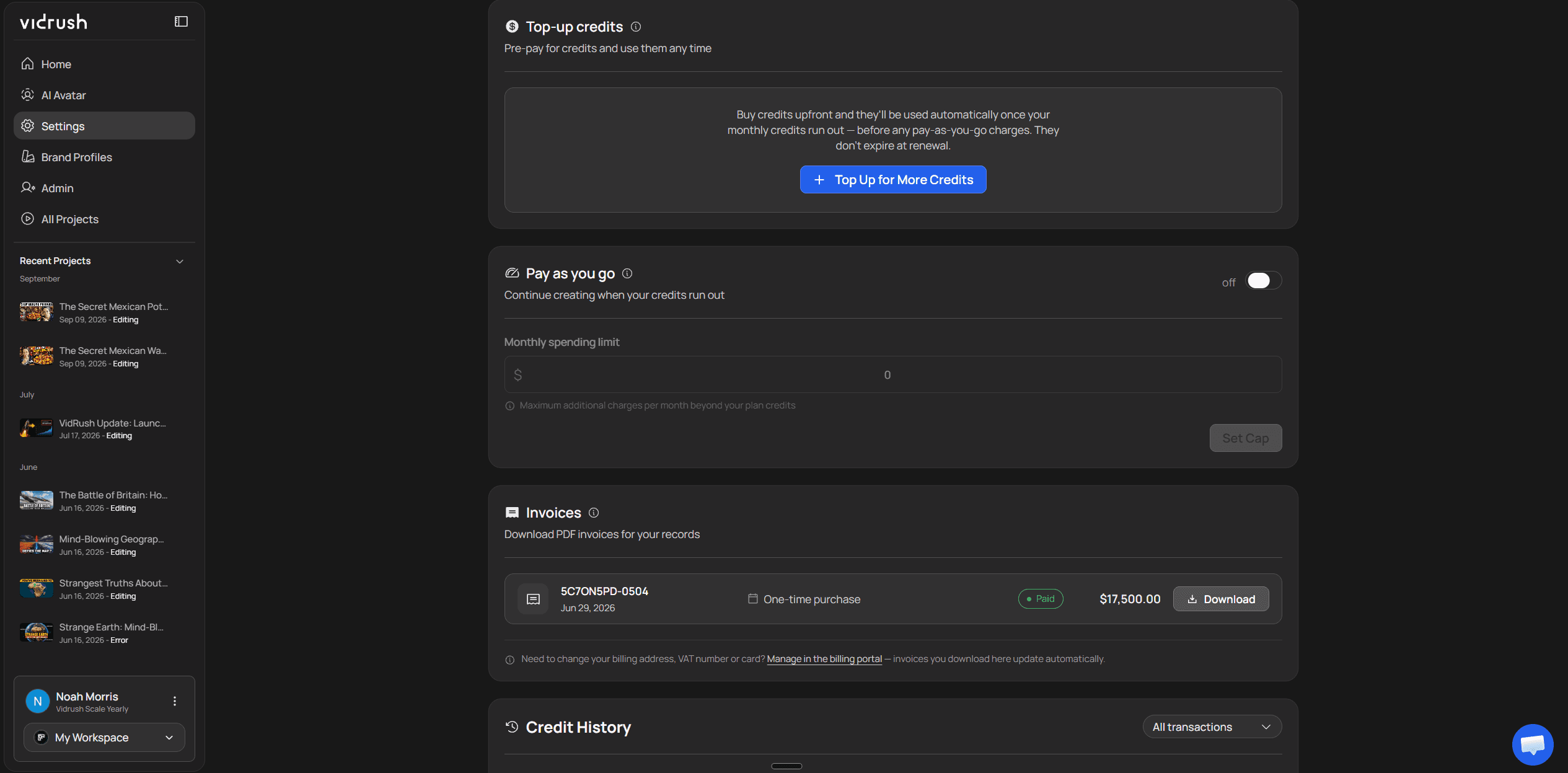
Paste a prompt or a finished script into VidRush. You get a quote before any credits are spent. You get back a 6 to 60 minute 1080p widescreen video with real footage, narration, captions and music. You fix it clip by clip in a timeline.
Script to video AI tools like VidRush and InVideo add the voiceover and captions automatically. Clip models like Runway do not. If the script is not written yet, start with the script-to-video tool guide. Pick an avatar and the same flow makes AI presenter videos.
Paste a prompt or a script of at least 780 characters, or upload a voiceover or talking-head recording.
Read the Quote Statement: format, duration, model, voice, title and estimated credits. Change what you need here.
Approve and close the tab. Renders run in the cloud, usually within the hour, sometimes hours longer at peak.
Review the 1080p MP4: ElevenLabs or other library narration, licensed Storyblocks B-roll on Pro, captions, music and a thumbnail.
Fix it in the editor: swap clips, fix captions, or ask Rush Agent (beta) to redo about 30 seconds of voice. Re-rendering costs about 10% of the original credits.
Where it stops, and what forces a regeneration
The script-to-long-form video tool outputs long-form widescreen only. Its input check rejects tutorials, compilations and reaction videos before any credit is spent. The other limit is footage. Check what each documentary niche takes to source before you commit to one.
Settle the format, length band, model and narrator before you approve. Changing any of them later, or swapping the AI presenter, means regenerating the whole video. Treat the Quote Statement like the brief in an edit bay. The cheap moment to change your mind is before the first cut.
In short:
Script or voiceover in, finished 1080p long-form video out, usually within the hour.
Real licensed footage, library narration and captions, with no editor to hire.
The cost shows on the Quote Statement before any credits go.
Not for Shorts, tutorials or gaming.
How much AI video generators for YouTube cost (and what free gets you)
Most AI video generators charge a monthly subscription, from about $10 (InVideo AI Starter, billed annually) to $99 (VidRush Starter). Free tiers add watermarks or cap credits. VidRush has no free tier. It returns a mostly finished long-form edit for roughly $22 per ten-minute video. A freelance editor costs an estimated $100 to $300.
For a working channel, the best free AI video generator is really CapCut's editor, and you do the editing.
What free actually gets you
Tool | Free allowance | Watermark | Catch |
|---|---|---|---|
CapCut | Unmetered exports up to 4K | None | Pro-badged features lock export; mobile adds a 2-second outro you must delete |
InVideo AI | Free plan | Yes | Non-commercial use only |
HeyGen | 3 one-minute videos a month | Yes | HeyGen's terms bar monetizing free output |
Runway | 125 one-time credits, about 10 seconds | Yes | Commercial use allowed, but 10 seconds is not a video |
Google Veo 3.1 | AI Studio previews | SynthID watermark | Rate-limited |
Opus Clip | 60 source minutes a month | Yes | Projects deleted after 3 days |
VidRush | None | n/a | Plans start at $99/mo |
Free tiers as listed on each vendor's site, checked November 2026. Only CapCut exports free without a watermark, and you do the editing.
How big a plan you need
I expected earning faceless channels to publish 60 to 150 minutes a month. We analysed 37,644 faceless channels with estimated revenue above zero. The median was about 8.2 minutes a month, or about 17.7 for channels with 1M+ subscribers. History's median of about 41 minutes fits inside VidRush Starter's roughly 45. Crime's median of about 69 would outgrow it.

Quiet channels pull that median down. Size your plan to your own output: runtime per video times uploads a month.
What one ten-minute video costs
Route | Entry plan | Cash per 10-min video | Extra tools | Your hands-on time |
|---|---|---|---|---|
VidRush | Starter, $99/mo | About $22 (about $18 billed annually) | None | An estimated 30 to 60 min of clip swaps and caption checks, plus render wait (usually under an hour) |
InVideo AI | Plus, $60/mo | About $18 to $30 | None required | 45 to 90 min |
HeyGen | Creator, $29/mo | About $15, presenter footage only | An editor for the B-roll | 2 to 4 h |
Runway or Veo | Runway Max or Veo API | An estimated $150 to $250+ (Veo can pass $500) | A voice subscription ($5 to $22/mo) and an editor | 6 to 12 h |
CapCut Pro, all by hand | $19.99/mo | About $2.50 to $5 in software | Your own footage and voice | 4 to 8 h |
Freelance editor, mid-tier | n/a | An estimated $100 to $300 | n/a | Briefing and review notes |
One finished ten-minute video, estimated from list prices at the time of writing with assumed re-roll rates. Hand hours are estimates, not timed tests.
The clip-model row is the one I would stare at. An estimated $150 to $250 or more is roughly a mid-tier editor's fee, and you still do the stitching. The hand hours are mostly sourcing and assembly, which is where the hours go in a manual faceless edit. Running the Spanish list channel taught me to price per finished minute.
On VidRush, a ten-minute script shows about 440 credits on the Quote Statement, roughly $22 at Starter's monthly price. Starter covers four of those; see VidRush plans and credits for bigger tiers. If Starter is out of reach, take InVideo Plus at $60 and budget the clean-up.
In short:
Plans start around $10 a month, and finished long-form sits at the top of the range.
Only CapCut exports free without a watermark, and you edit by hand.
Price one finished ten-minute video, not the plan.
How to choose an AI video generator your YouTube channel can monetize
Whichever AI video generation platform makes your shortlist, prove it on one video before you pay for a bigger plan. Whether a given video can earn is a separate question, covered in YouTube's policy on AI content.
Write one 6 to 10 minute script you would actually publish.
Run it on your shortlisted tool. On VidRush, read the credit estimate on the Quote Statement first.
Run a second script, because one can get lucky with footage.
Count the clips you would replace, and time your fixes.
Multiply the cash and hours by your monthly uploads.
In short:
Pick the tool that finishes the job your channel needs.
Prove it on one or two real scripts before buying a bigger plan.
A low swap count and footage that fits your niche means you have your tool.
Frequently asked questions
What AI video generator does Reddit recommend for YouTube?
There is no consensus pick. The r/aitubers and r/NewTubers threads we read mostly describe stacks of tools, plus complaints about credits burned on revisions.
Is the Grok video generator good for YouTube content?
It is good for a shot and no use for a whole video. Use it for B-roll, the way you would use Veo or Runway.
What is the best AI video generator app for making YouTube videos on a phone?
CapCut is the strongest phone option, but it is an editor, so you do the cutting. VidRush runs in a browser and renders in the cloud, though I would review a 20-minute timeline on a laptop.