
Noah Morris
Co-Founder

How To Start A Faceless YouTube Automation Channel Using VidRush In 2026
Running a faceless YouTube automation channel sounds exciting at first, until you realize how much work actually goes into every single video. First you need to research a topic, then write a script, find clips and visuals, generate a voiceover, edit everything together, add music, create subtitles, make a thumbnail, and finally upload the video. Then a few days later, you have to repeat that entire process all over again. Week after week, month after month, content creation can quickly start feeling exhausting
That’s exactly why more creators are now turning to AI tools to automate the process and save massive amounts of time. Instead of spending endless hours doing everything manually, AI can now help research topics, write scripts, generate voiceovers, create visuals, edit videos, and speed up production from start to finish. This allows creators to focus more on ideas, strategy, and growing their channels while the heavy production work gets handled much faster behind the scenes. Using the right AI tools for faceless YouTube videos can simplify this entire workflow.
What Is YouTube Automation?
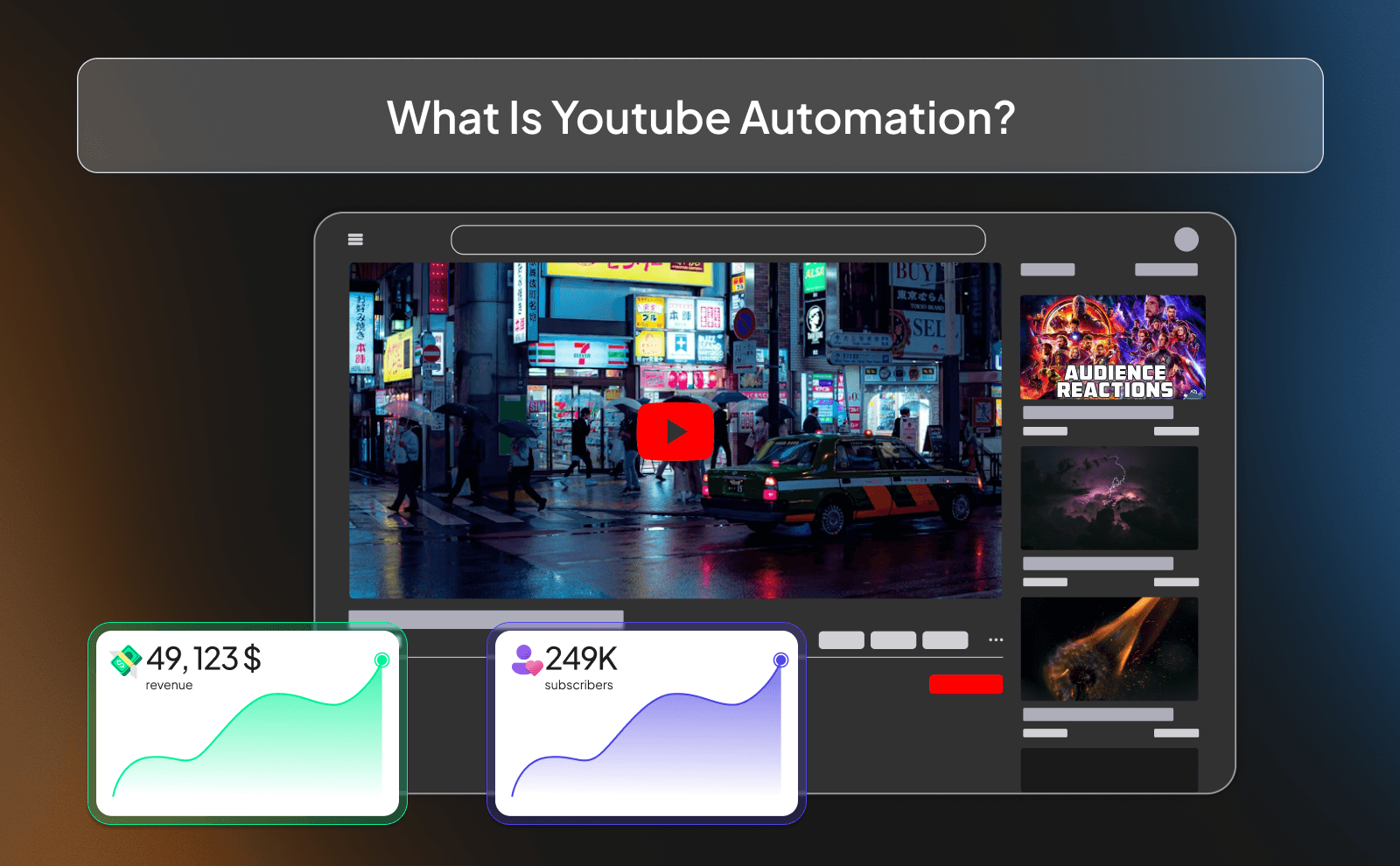
YouTube automation is basically building a YouTube channel where you don’t have to do every single thing yourself. Instead of filming videos, editing, writing scripts, making thumbnails, and posting everything alone, you create a system where different parts of the work are handled faster using tools, freelancers, or AI. The goal is to grow channels more efficiently without being stuck doing all the boring repetitive tasks every day.
A lot of people think YouTube automation means “easy money” or “making videos without effort,” but that’s not true. At the end of the day, it’s still a real business. You still need good ideas, quality videos, smart titles, and consistency. The difference is that automation helps you save time and scale faster. Instead of spending 10 hours editing one video, you focus more on strategy, content ideas, and scaling the channel.
YouTube Automation With Faceless Channels
Faceless channels are one of the biggest parts of YouTube automation. These are channels where you never show your face on camera. Instead, the videos use voiceovers, stock footage, clips, animations, gameplay, or AI visuals. This is the core of a successful faceless YouTube channel. This is why so many people like this model, because you can build a channel even if you’re shy, don’t want to be recognized online, or simply don’t want to spend time filming yourself.
The cool thing about faceless channels is that they work in almost every niche. You’ll see faceless channels in finance, documentaries, crime, motivation, history, sports, celebrity news, AI, and way more. A lot of huge channels making thousands every month are completely faceless. What matters most is not your face, it’s whether the content is entertaining, useful, or interesting enough to keep people watching.
Common Misconceptions
One big misconception is that YouTube automation is passive income from day one. Social media makes it look like you upload a few videos and suddenly make thousands of dollars while doing nothing. In reality, most channels take time before they start getting views. Many people quit too early because they expect instant results instead of treating it like a long-term business.
Another misconception is that AI alone can fully replace creativity. Yes, AI tools can help a lot with scripts, editing, thumbnails, and voiceovers, but if the content feels lazy or low quality, viewers will leave fast. YouTube rewards videos that people actually enjoy watching. The best automated channels still need smart ideas, good storytelling, and someone making sure the final video feels human and interesting to watch.
How Does YouTube Automation Work?
The process usually starts with finding a niche and researching viral video ideas. After that, someone writes the script, then a voiceover is added, visuals are edited together, and finally the thumbnail and title are made before uploading the video. You can speed up this step significantly with an AI script generator. Some people do every step themselves at first, while others hire freelancers or use AI tools to speed things up.
Once the channel starts growing, the goal is to turn the process into a system. Instead of randomly making videos, you create a workflow where content can be produced consistently and faster. That’s why people call it “automation.” You’re not magically printing money, you’re building a machine that can keep producing content without needing all your time every single day.
How VidRush Works For Faceless YouTube Automation?
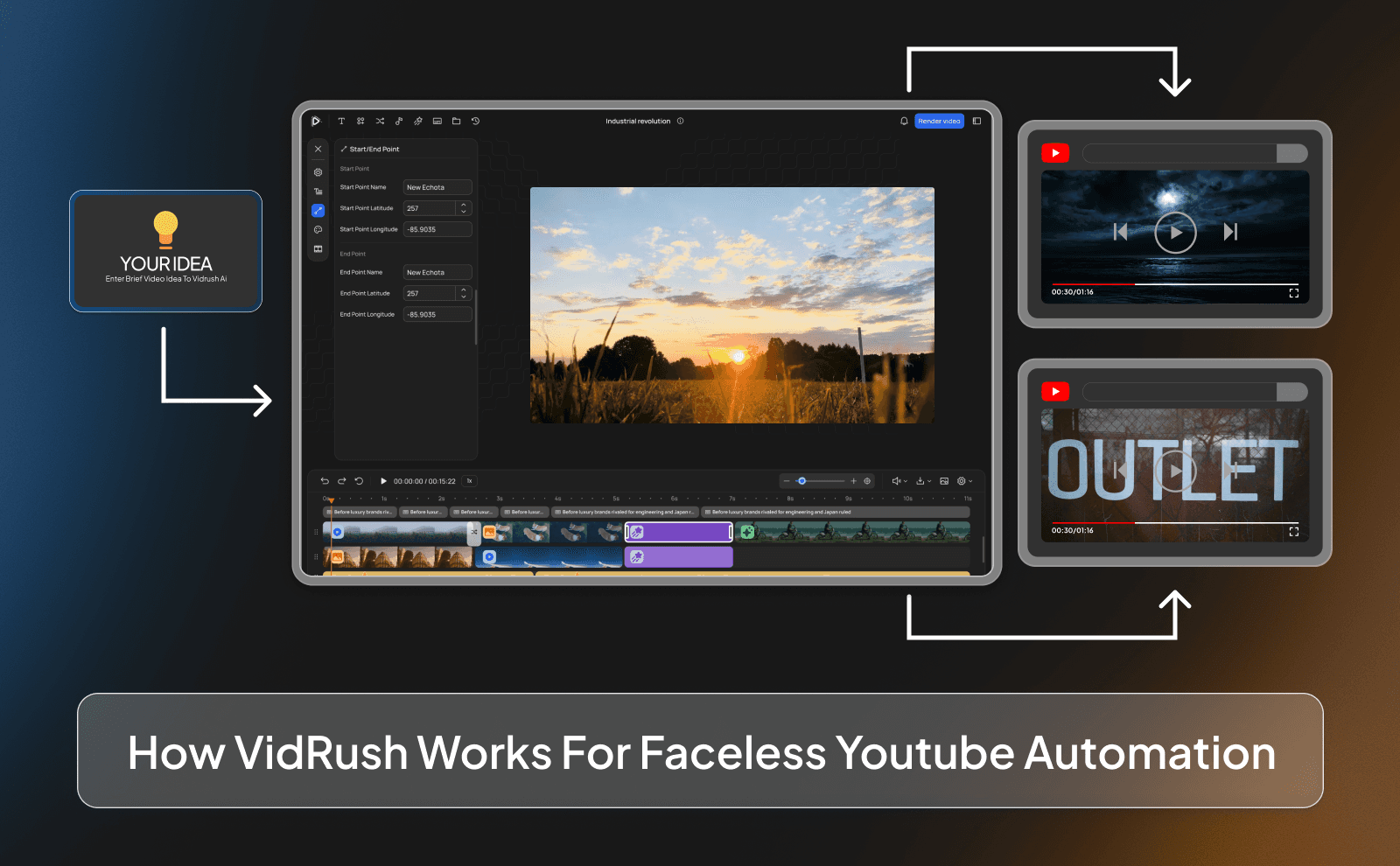
VidRush is designed to simplify the whole faceless YouTube process. Instead of using 10 different tools and managing a full team, the platform helps handle multiple parts of video creation in one place. It acts like a script to video tool, automating key parts of production. This makes it easier for beginners who feel overwhelmed by scripting, editing, voiceovers, thumbnails, and research.
The main idea behind VidRush is speed and simplicity. You give the platform your video idea or prompt, and it helps generate the content needed to create the video much faster than traditional production. This can save creators a huge amount of time, especially for people trying to upload consistently or manage multiple channels at once.
Single Prompt And You Get A Full Video
One of the biggest advantages is how much work gets reduced with a single prompt. Instead of spending hours brainstorming, writing, recording, and editing, you can generate the structure of a full video much faster. This helps creators focus more on choosing smart ideas and growing their channels instead of getting stuck in production for days.
For beginners, this removes a massive barrier. A lot of people want to start YouTube but feel overwhelmed because they think they need expensive equipment, editing skills, or a full team. Tools like this make the process more accessible by simplifying the hardest and most time-consuming parts of creating faceless content.
Say Goodbye To Your Human Video Production Team
Traditional YouTube automation often requires hiring scriptwriters, editors, thumbnail designers, voice actors, and researchers. That can become expensive very quickly, especially for small creators who are just starting. Managing a team also takes time because you have to explain ideas, fix mistakes, wait for revisions, and coordinate everything together.
With AI tools becoming better, many creators are now able to handle tasks that used to require multiple people. That doesn’t mean human creativity is useless, but it does mean you can build and scale channels with far lower costs than before. For many creators, this makes YouTube automation more realistic because they can produce content faster without needing a huge budget or a full production team.
Is YouTube Automation Legit?
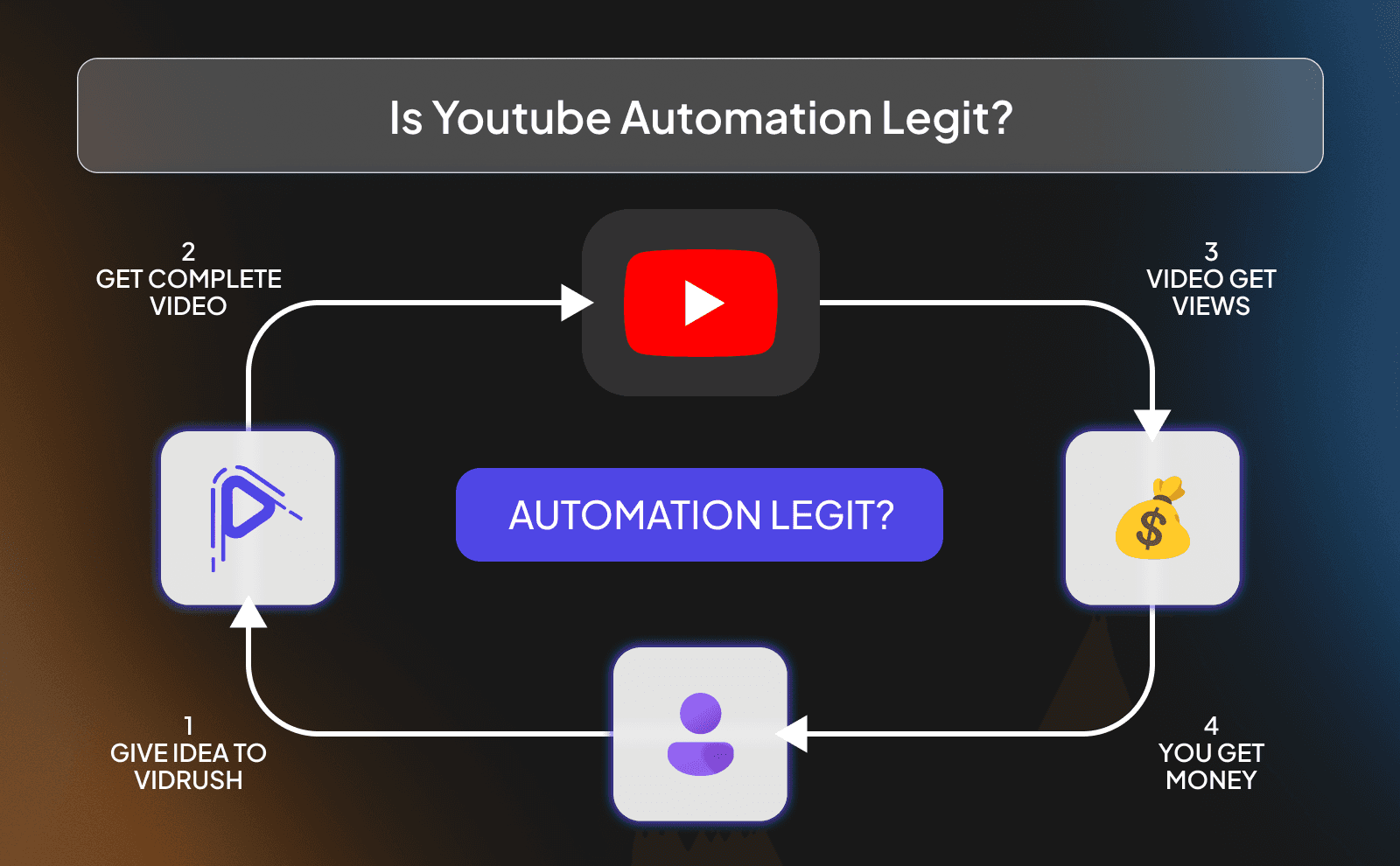
Yes, YouTube automation is completely legit when it’s done properly. At the end of the day, it’s just a way of running a content business more efficiently. Big media companies have teams for scripting, editing, research, and thumbnails too. YouTube automation is basically the smaller creator version of that. You’re creating videos, growing an audience, and making money from views, ads, sponsors, or products just like any other normal channel.
The problem is that a lot of people online sell fake dreams around it. They make it sound like you can upload random AI videos and become rich overnight without effort. That’s where people get disappointed. Real YouTube automation still takes work, patience, testing, and consistency. The channels that actually succeed are usually the ones focused on making good content instead of chasing shortcuts.
What’s Legit (and what’s not)
What’s legit is using automation to save time and improve workflow. Using AI to help with scripts, editing, voiceovers, or research is completely fine. Hiring freelancers is also normal. Even huge YouTubers outsource work because it lets them upload more content and focus on growth. As long as you’re creating valuable videos and following YouTube’s rules, you’re building a real business.
What’s not legit is stealing content, reposting other people’s videos, spamming low-quality uploads, or trying to trick the algorithm. A lot of beginners think they can just copy TikToks, movie clips, or other creators’ videos and make easy money, but that usually leads to copyright issues or dead channels. The truth is simple: automation works best when it helps you create original content faster, not when it’s used to cut corners.
Is YouTube Automation Saturated?
A lot of people say YouTube automation is saturated, but the reality is that YouTube itself is still growing every single year. New audiences, new trends, and new niches appear all the time. Yes, some niches are extremely competitive now, especially the low-effort ones everybody copied, but there’s still huge opportunity for creators who actually bring good ideas, storytelling, or unique angles.
The biggest mistake people make is entering a niche and copying the exact same videos as everyone else. That’s when it feels saturated. But channels that stand out usually do something different, even in crowded spaces. Better editing, stronger hooks, smarter titles, more entertaining storytelling, or a fresh perspective can completely change how a channel performs. On YouTube, quality and consistency still beat lazy copy-paste content.
What The AI Production Team Inside VidRush Has For Faceless YouTube Creators?
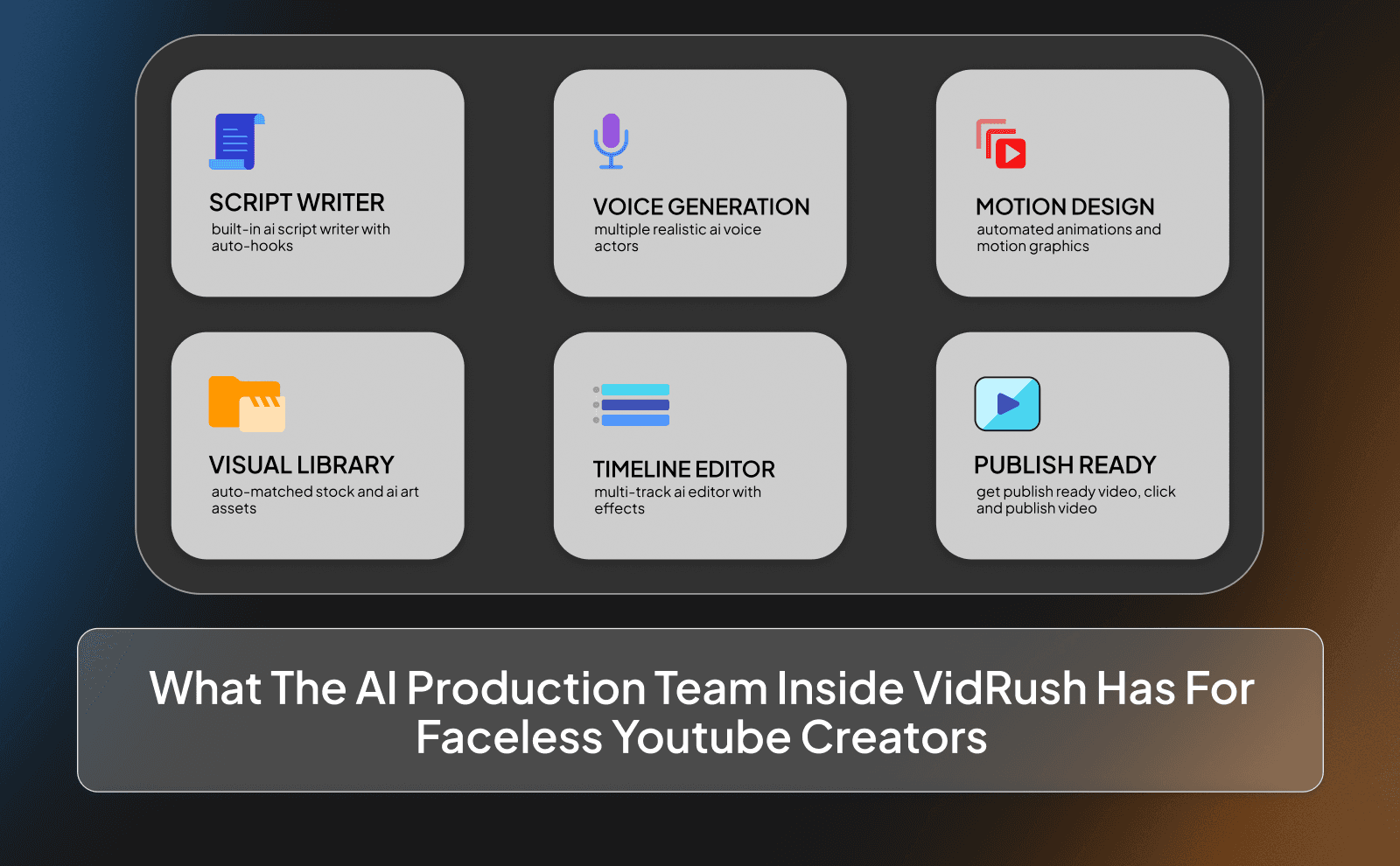
Researcher
Every good video starts with strong research. The researcher’s job is to find interesting topics, trending ideas, viral angles, and useful information that can turn into engaging content. Without good research, videos usually feel boring, repetitive, or outdated because there’s nothing fresh keeping viewers interested. And that’s exactly what VidRush does.
For faceless channels especially, research is one of the biggest things that separates successful videos from average ones. A great topic with a strong hook can outperform fancy editing every single time. That’s why smart creators spend a lot of time understanding what people are already watching and figuring out how to make it even more interesting.
Scriptwriter
The scriptwriter is what gives the video its structure and flow. A good script keeps viewers curious from beginning to end instead of making them click away after 30 seconds. For beginners, using the best AI video script generator for faceless videos ensures scripts are engaging and fast to produce. It’s not just about giving information, it’s about storytelling, pacing, emotion, and knowing how to keep attention.
Most viral faceless videos succeed because the script feels engaging and easy to follow. Even the best editing cannot save a boring script. Strong scripts usually sound natural, move quickly, and constantly give viewers a reason to keep watching the next part of the video.
Voice Actor
The voice actor brings energy and personality into the video. Even on faceless channels, the voice matters a lot because it’s what makes the content feel alive. A flat or robotic voice can instantly make viewers lose interest, while a good voiceover makes the video feel smoother, more emotional, and more engaging.
A lot of creators now use AI voices because they’re fast and affordable, but quality still matters. An AI voice generator can provide natural-sounding narration quickly. The best AI voices sound natural and fit the tone of the content instead of sounding stiff or awkward. Whether it’s a human or AI voice, the goal is the same: make viewers feel comfortable listening to the video.
Asset Manager
The asset manager handles all the visuals used inside the video. This includes stock footage, images, animations, clips, background visuals, and other elements that help tell the story visually. Without good assets, videos can feel empty or repetitive very quickly.
Good visuals keep the audience stimulated and help explain what’s being said in the script. This is especially important for faceless content because viewers rely heavily on visuals to stay engaged. The better the visuals match the story, the more professional and enjoyable the video feels.
Motion Designer
The motion designer adds movement and life to the visuals. This includes transitions, animations, text effects, zooms, graphics, and visual effects that make the video feel dynamic instead of static. Even small movements can make a huge difference in keeping viewer attention.
Modern YouTube audiences have short attention spans, so pacing matters a lot. Motion design helps videos feel faster, smoother, and more entertaining. When done properly, it keeps viewers visually engaged without making the content feel overloaded.
Video Editor
The video editor is the person putting everything together into a final product. They combine the script, visuals, voiceover, music, pacing, effects, and timing to create a video that flows well from start to finish. Editing is where the content really starts to feel like a real YouTube video instead of random pieces put together.
Good editing keeps energy high and removes boring moments. A skilled editor knows how to build momentum, create emotional moments, and make viewers want to continue watching. On YouTube, retention is everything, and editing plays a massive role in that.
Sound Engineer
The sound engineer handles the audio side of the video. This includes balancing voiceovers, adding sound effects, cleaning background noise, and making sure music fits the mood of the content. A lot of people underestimate audio, but bad sound quality can instantly make a video feel and sound low quality.
Good audio quietly improves the entire viewing experience without people even noticing it. Smooth sound effects, clean voiceovers, and properly timed music make videos feel more immersive and emotional. Sometimes audio alone can completely change how powerful a scene feels.
The Three Stages Of YouTube Automation
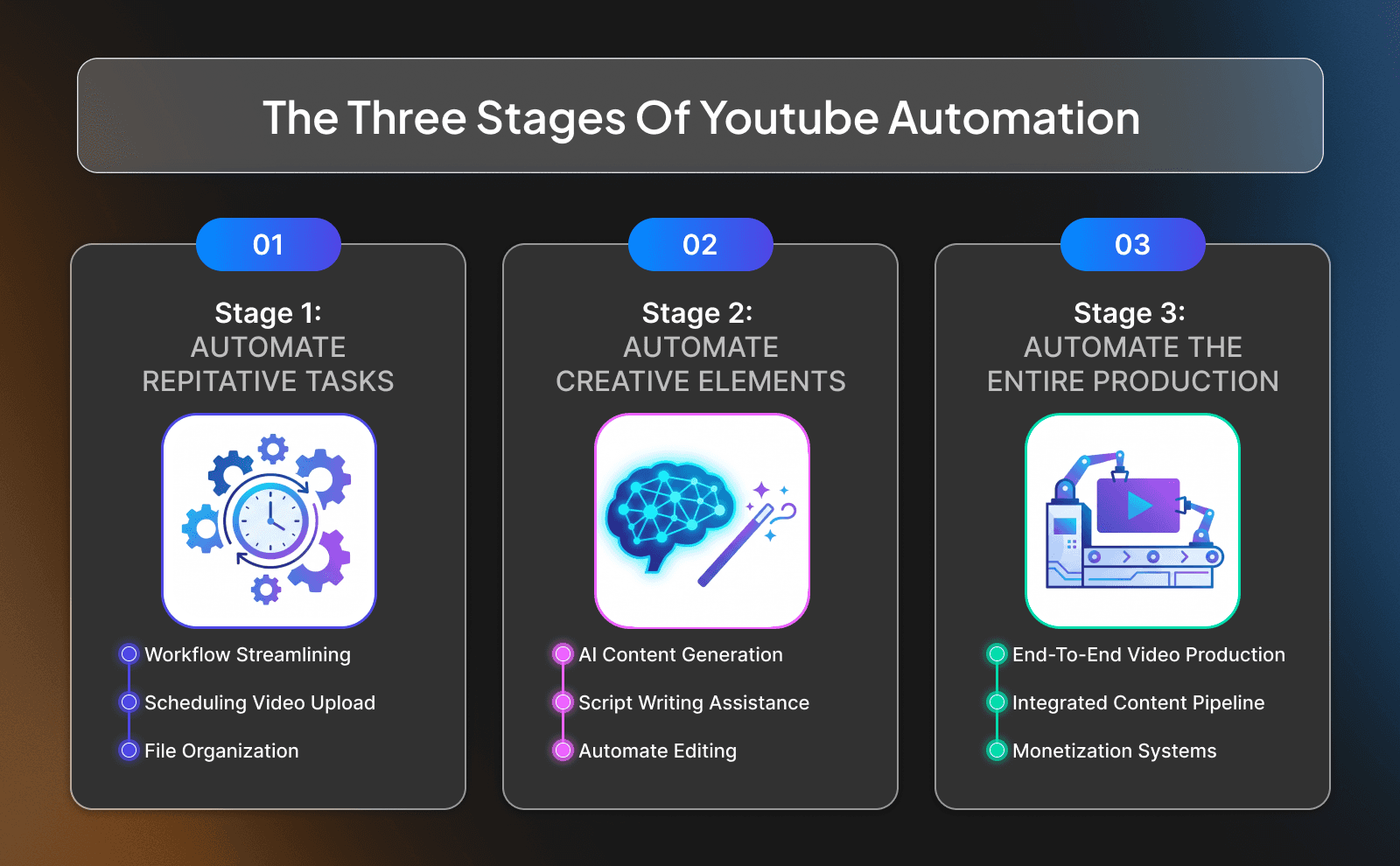
Stage 1: Automate Repetitive Tasks
The first stage is automating repetitive tasks that waste time but don’t require much creativity. This includes things like subtitles, basic editing, thumbnail resizing, scheduling uploads, generating captions, organizing files, or researching keywords. These small tasks can consume hours every week if done manually.
This stage helps creators free up time without losing control over the actual content quality. Instead of spending energy on boring technical work, creators can focus more on ideas, storytelling, and improving the channel itself.
Stage 2: Automate Creative Elements
The second stage is where creators start using AI tools or outsourcing for more creative work like scripts, voiceovers, thumbnails, or advanced editing. This speeds up production massively because content can be made much faster than doing every step alone.
At this point, the creator usually becomes more focused on strategy and direction instead of manually creating every single part of the video. The goal is not removing creativity, it’s using tools to make the creative process faster and more scalable.
Stage 3: Automate The Entire Production Line
The final stage is when almost the entire production process runs like a system. Video ideas get researched, scripts get generated, visuals get collected, voiceovers get created, editing gets handled, and uploads happen consistently with minimal manual work.
This is where YouTube automation starts feeling like a real media business instead of just a side hobby. But even at this level, successful creators still monitor quality closely. Fully automated doesn’t mean fully ignored. the best channels still need smart direction, quality control, and strong ideas behind the scenes.
How Much Does YouTube Automation Cost?
Zero-Cost Automation Gameplan
A zero-cost setup usually means doing most things yourself using free tools. You can research ideas manually, write scripts yourself on a google doc, use free editing software like CapCut or Davinci, and even record your own voiceovers if needed. This approach takes more time, but it’s one of the best ways to learn how YouTube actually works.
The biggest advantage of starting this way is experience. When you personally go through scripting, editing, thumbnails, and uploads, you understand what makes content perform well. That knowledge becomes extremely valuable later when you start automating or outsourcing parts of the process.
Manual, AI-Less Production
Manual production is the traditional way of running a YouTube channel where humans handle every part of the process. Scripts are written manually, editing is done manually, thumbnails are designed manually, and every decision comes from people instead of AI tools.
This usually gives creators more creative control and originality, but it also takes much longer and costs more time. For some niches, fully manual production still works extremely well because audiences can feel the extra personality and effort behind the content.
Hiring Freelancers Or Agencies
Hiring freelancers or agencies is one of the fastest ways to scale YouTube automation because it allows you to upload more content without doing all the work yourself. Many creators hire editors, scriptwriters, thumbnail designers, or voice actors once the workload becomes too much to handle alone.
The downside is that quality costs money. Cheap freelancers often produce weak scripts, bad editing, or generic thumbnails that hurt the channel. That’s why many serious creators spend at least a few hundred dollars per month, and often over $1000+ monthly, if they want consistently high-quality production.
Using AI Tools & Platforms
AI tools are changing YouTube automation because they make content production faster, cheaper, and easier to manage. Instead of needing a massive team, creators can now use AI tools like VidRush for scripts, voiceovers, editing, subtitles, research, thumbnails, and even idea generation.
The biggest advantage is speed. Tasks that used to take days can now take hours or even minutes. But the creators who win with AI are usually the ones who combine automation with smart creativity. AI works best as an assistant, not as a replacement for good ideas and strong content strategy.
How Much Money Can You Make From YouTube Automation?
Earnings Potential From YouTube Automation
One of the biggest reasons people get interested in YouTube automation is because the earning potential is extremely high compared to many online businesses. A single successful video can continue getting views and generating money for months or even years after being uploaded.
That means videos can become digital assets that keep working long after the work is done.The earning potential also grows as the channel grows. More views usually lead to more ad revenue, more sponsors, more affiliate sales, and more business opportunities.
Revenue Streams In A YouTube Automation Business
AdSense
AdSense is the most common way faceless channels make money. Once a channel gets monetized, YouTube starts placing ads on the videos and pays the creator a percentage of the revenue. The amount earned depends on things like niche, audience location, watch time, and advertiser demand.
Affiliate Marketing
Affiliate marketing is when you recommend a product or service and earn a commission every time someone buys through your link. This works really well on YouTube because viewers already trust creators they watch regularly. A simple recommendation in the description or inside the video can generate consistent income.
Sponsorships
Sponsorships are when brands pay creators to promote their products or services inside videos. As channels grow, companies start seeing the audience as valuable and are willing to pay for exposure. Even faceless channels can get sponsors because brands care more about views and audience quality than whether the creator shows their face.
Digital Products
A lot of creators eventually start selling their own digital products like ebooks, courses, templates, guides, or memberships. Since the audience already trusts the creator, selling useful products becomes much easier compared to starting from zero.
Merch & Print On Demand
Merchandise is another way creators monetize their audience. This can include clothing, mugs, posters, accessories, or other branded products. Print-on-demand services make this easier because creators don’t need to keep inventory themselves.
Channel Flipping
Channel flipping is when someone grows a YouTube channel and later sells it for profit. Channels with consistent views, revenue, and loyal audiences can become very valuable digital assets. Some buyers are willing to pay large amounts for channels that are already monetized and performing well.
Offer Services
A successful YouTube channel can also attract clients for services. For example, someone running a faceless marketing channel might get clients for consulting, editing, coaching, or social media management simply because their content proves they know what they’re doing.
Advertise Products
Some creators use YouTube automation to promote their own businesses or products. Instead of relying only on ad revenue, they use videos as a way to bring attention to stores, software, communities, or personal brands.
How To Start A Faceless YouTube Automation Channel Using VidRush (step by step)
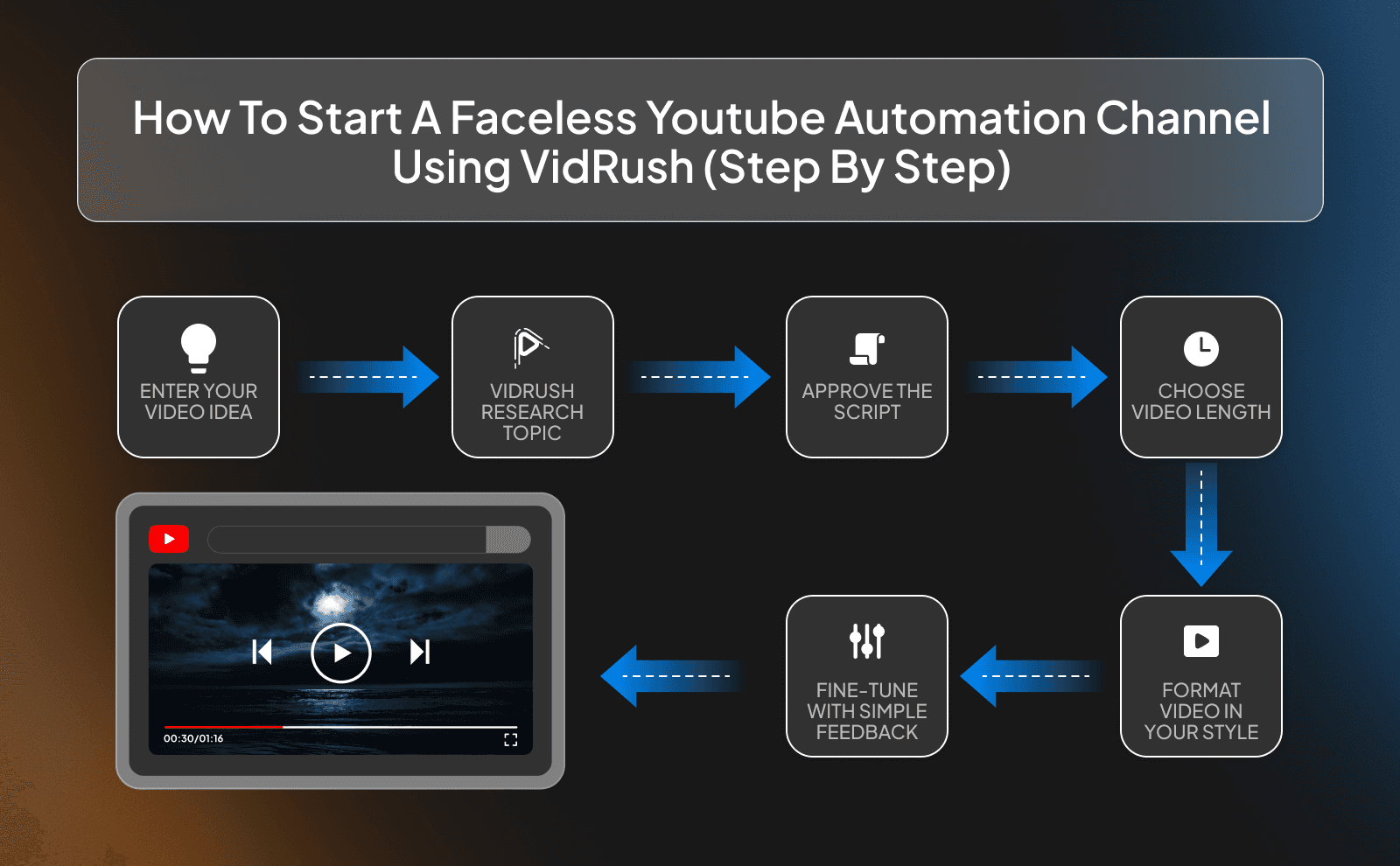
Step 1: Enter Your Video Idea
Everything starts with the video idea. You enter the topic you want to create content around, whether it’s a documentary, list video, storytelling video, educational content, or something else entirely. The better the idea, the better the final video usually performs.
Step 2: Let VidRush Research Your Topic
Once the topic is entered, VidRush helps research the subject and gather information for the video. This speeds up one of the most time-consuming parts of YouTube automation because creators normally spend hours researching manually.
Step 3: Approve The Script Before Making The Final Video
Before the final video gets created, you can review and approve the script. This gives creators more control over the final content and allows them to adjust things before production begins.
Step 4: Choose Your Video Length
Different types of videos work better at different lengths. Some topics are perfect for short 6-8 minute videos, while others need longer formats like 18-20 or even 30-40 minutes to fully tell the story.
Step 5: Match Your Video To Any Format You Like
Different channels use different content styles. Some videos feel cinematic and emotional, while others are fast-paced, informative, dramatic, or highly edited. Being able to match different formats helps creators adapt the content to fit their niche and audience.
Step 6: Fine-Tune With Simple Feedback
One of the most useful parts of AI-assisted creation is being able to quickly adjust things through simple feedback. Instead of rebuilding the entire video manually, creators can tweak scripts, pacing, visuals, or tone much faster.
Step 7: Export And Upload To YouTube
Once the video is finished, the final step is exporting and uploading it to YouTube. After that, titles, thumbnails, descriptions, and posting strategy become extremely important because they affect whether people actually click the video.
What Are The Best AI Tools For YouTube Automation?
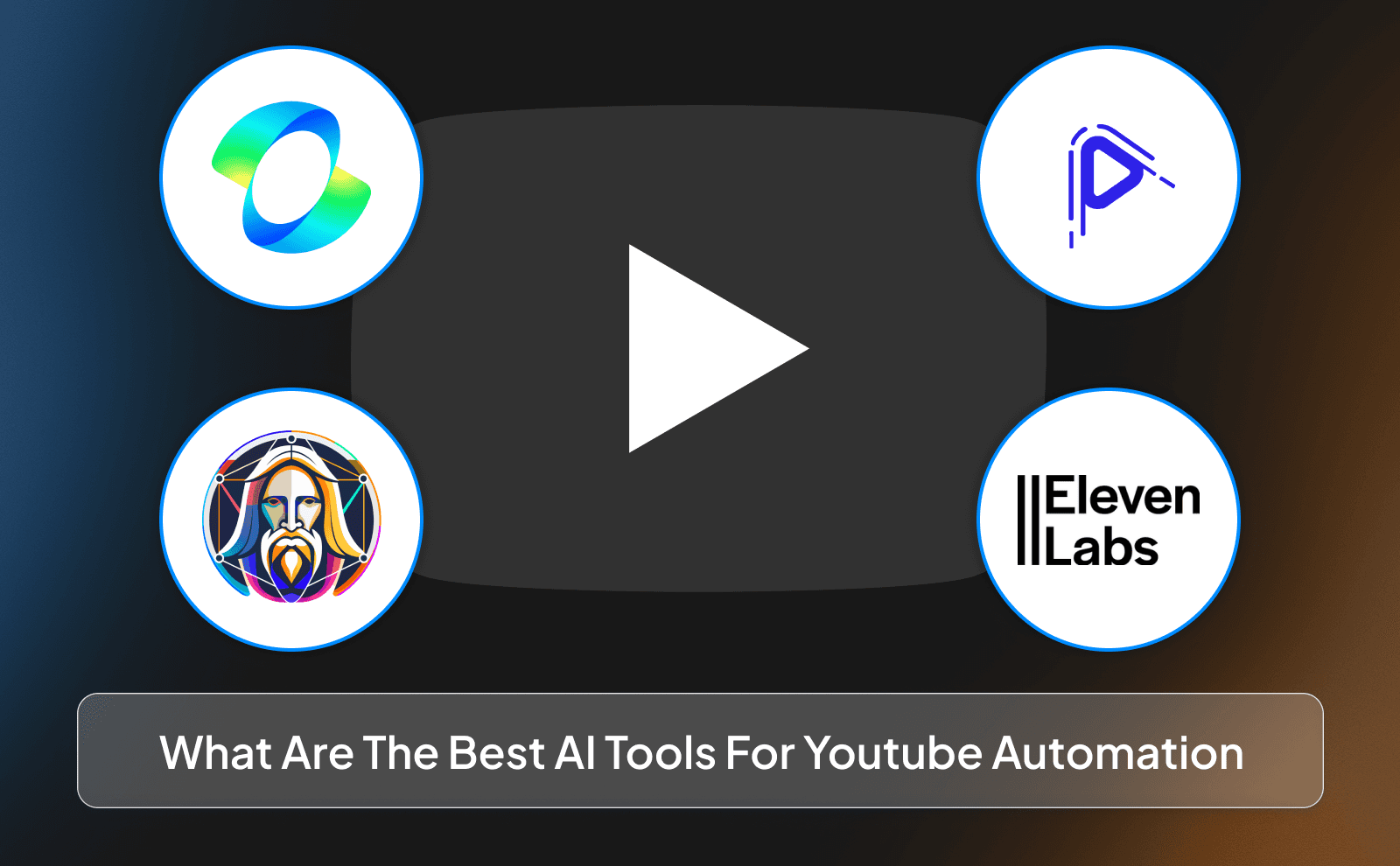
AI Image Generation
AI image generators like Leonardo AI can help create custom visuals, thumbnails, concept art, or backgrounds for videos. This is useful for faceless channels because visuals play a huge role in keeping viewers engaged.
Video Generation
AI video generation tools like VidRush, Kling AI, and Leonardo AI are making video production much faster than before. These tools can help generate scenes, visuals, animations, and video structures without needing a traditional editing workflow. It’s important to understand how AI video generation works to get the most out of these platforms.
Voice Studio, Text To Speech And AI Narration
ElevenLabs is one of the most popular tools for AI voiceovers because the voices sound far more natural compared to older robotic text-to-speech systems. Good narration makes a huge difference in faceless content because viewers spend most of the video listening.
What Types Of Faceless YouTube Automation Videos Can You Create With VidRush?
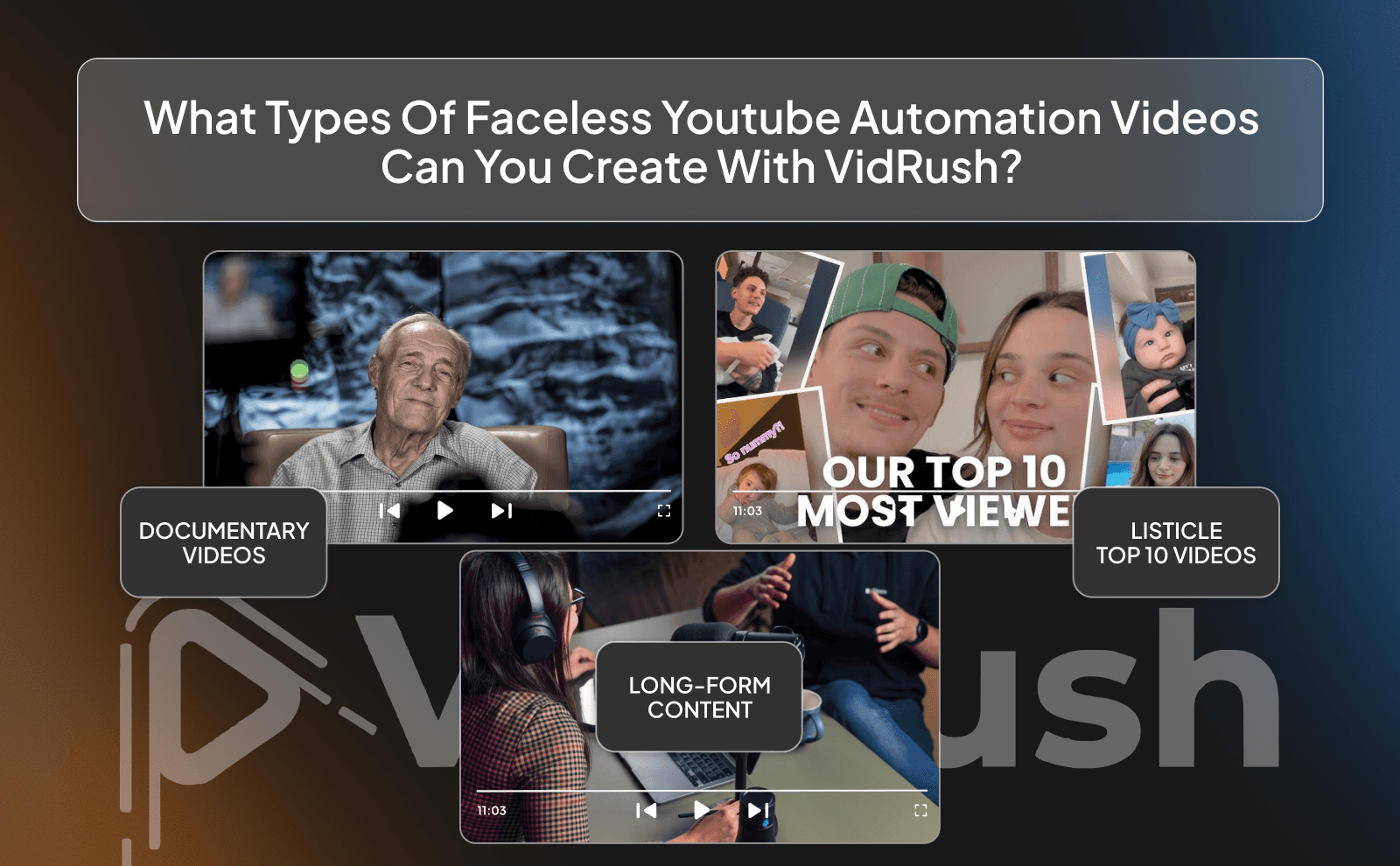
Documentary
Documentary-style videos are one of the most popular forms of faceless content because people love stories, mystery, history, drama, and deep explanations. These videos usually combine narration, visuals, clips, music, and storytelling to keep viewers interested.
Listicle
Listicle videos are videos structured around lists like “Top 10,” “5 biggest mistakes,” or “7 craziest moments.” These videos perform well because they are easy to follow and naturally keep viewers curious about the next item on the list.
Long-Form Content
Long-form videos are becoming more valuable on YouTube because they usually generate more watch time, stronger audience loyalty, and higher revenue potential. These videos allow creators to go deeper into topics instead of rushing through information quickly.
Example Niches For YouTube Automation
Science Documentaries Niche Into The Canopy
Science documentary channels are extremely popular because people naturally love learning about crazy discoveries, space, technology, the human brain, mysteries, and how the world works. This niche works especially well for faceless automation because the videos rely heavily on narration, visuals, animations, and storytelling instead of just showing a creator on camera.
Jewelry Listicles Niche Jewel Verdict
Jewelry listicle channels focus on luxury, fashion, expensive accessories, celebrity jewelry, rare gems, and high-end collections. Videos like “Top 10 Most Expensive Rings” or “The Rarest Diamonds Ever Found” tend to perform well because people are naturally curious about wealth and luxury lifestyles, and these types of videos get views.
American Old Culture Niche Americana Rewind
The American old culture niche focuses on nostalgia and things that used to happen in older generations, especially around the 80s, 90s, and early 2000s. Videos can talk about old school trends, childhood memories, forgotten traditions, vintage stores, retro technology, TV culture, or how life used to be back then.
Key Metrics To Know For Earning More Money From YouTube Automation
RPM
RPM stands for Revenue Per Mille, which basically means how much money you earn per 1000 views after YouTube takes its cut. This is one of the most important numbers for creators because it shows how profitable the channel actually is.
CPM
CPM stands for Cost Per Mille, which is the amount advertisers pay for 1000 ad impressions. This number matters because higher CPM usually means higher earning potential for creators.
Watch Time
Watch time is one of the biggest factors in YouTube growth because the platform wants people staying on the site longer. If viewers watch your videos for a long time, YouTube sees the content as valuable and is more likely to recommend it to more people.
CTR
CTR stands for Click Through Rate, which measures how many people click your video after seeing the thumbnail and title. Even amazing videos can fail if nobody clicks on them in the first place.
Why VidRush Beats Hiring A Faceless YouTube Team?
Full Creative Team Just For You
One of the biggest advantages of AI-powered platforms is that they feel like having a full creative team available anytime you need it. Instead of waiting for freelancers to respond or deliver revisions, creators can move through the production process much faster.
Video Editing Made Simple
Editing is usually one of the hardest and most time-consuming parts of YouTube automation. A lot of beginners get stuck here because professional editing software can feel overwhelming at first.
As Much Or As Little Control As You Like
Some creators want full control over every detail, while others prefer automating most of the process. Flexible systems work well because they allow creators to decide how involved they want to be.
Automation Best Practices And Risks
Maintaining Authenticity
Even faceless channels need personality and authenticity. People stay loyal to channels that feel real, entertaining, or valuable instead of generic content factories pumping out random videos.
Balancing Automation And Manual Efforts
Automation works best when it handles repetitive work while humans still guide the creative direction. Fully depending on automation without checking quality often leads to weaker content.
Content Originality And Plagiarism
One of the biggest mistakes creators make is copying other channels too closely. Reusing scripts, stealing clips, or making near-identical videos can hurt a channel badly and sometimes even lead to copyright problems.
User Engagement
A lot of automation channels forget that YouTube is still built around audience connection. Replying to comments, understanding viewer feedback, and paying attention to what audiences enjoy can massively improve channel growth.
Transparency And Disclosure
As AI tools become more common, transparency matters more too. Most viewers do not care if creators use automation or AI assistance as long as the videos are entertaining and valuable.
Will YouTube Automation Hurt My Channel?
YouTube automation itself does not hurt channels. What hurts channels is low-quality content, spammy uploads, stolen material, or videos that people simply do not enjoy watching. YouTube mainly cares about viewer satisfaction and whether audiences stay engaged.
What Are Major YouTube Automation Mistakes To Avoid?
Reuploading The Same Content
Reuploading other people’s videos is one of the worst mistakes creators can make. Besides copyright risks, reused content usually struggles with monetization because YouTube prefers original material.
Using Copyrighted Music
Using copyrighted music without permission can quickly lead to claims, demonetization, or blocked videos. A lot of beginners underestimate how strict YouTube’s copyright systems have become.
Is Starting YouTube Automation Worth It In 2026?
Yes, YouTube automation is still worth starting in 2026, but not for the reasons many people online promote. The easy-money mindset is what usually fails. The people winning today are the ones treating it like a real business and focusing on quality content.
Frequently Asked Questions
How Do I Start An Automation YouTube Channel?
Start by choosing a niche, finding video ideas, creating faceless content consistently, and using tools or AI to simplify production.
What Is The Average YouTube Salary?
There’s no fixed salary on YouTube because earnings depend on views, niche, audience location, and monetization methods.
Can Clickable Thumbnails Help Increase The Rate Of Views?
Yes, strong thumbnails can massively increase clicks because they grab attention and make people curious to watch.
Do I Need Existing Skills In Creating Viral YouTube Videos?
No, but learning storytelling, titles, thumbnails, and audience psychology will improve your chances of going viral faster.
Is Outsourcing A Good Idea When Running My Own Channel?
Yes, outsourcing can save time and help you scale faster if you hire the right people and maintain quality control.
Is YouTube Automation Worth It?
Yes, YouTube automation can be very worth it if you focus on quality content and treat it like a long-term business.
How To Do YouTube Automation With AI?
You can use AI tools for scripts, voiceovers, editing, thumbnails, research, and content production to speed up the workflow.
What Are The Best AI Tools For YouTube Automation?
Popular tools include VidRush, ElevenLabs, Leonardo AI, and Kling AI.
Is There A Free Trial For VidRush Available?
No there isn’t a free trial for VidRush
What Types Of Videos Can VidRush Do?
VidRush can help create documentaries, listicles, storytelling videos, Shorts, and long-form faceless content.
How Can I Get Support From VidRush?
You can usually contact the VidRush support team through the official website, or the discord server.
What Platforms Does VidRush Support?
VidRush supports mainly Youtube videos as of now.
Is My Content Secure On VidRush?
Most modern AI platforms use security systems to protect user data and uploaded content.
How Much Will VidRush Cost?
The price depends on the subscription plan, features, and usage level you choose. It can start from $99/mo up to $5000/mo
YouTube Automation helps creators build faceless channels faster with AI tools for scripts, editing, voiceovers, research, and growth.